Choose the right rack type
Confirm whether the project needs a floor-standing server cabinet, network cabinet, open frame rack or wall mount cabinet based on equipment size, room access, security and maintenance requirements.

ZION helps project teams select 19-inch server cabinets, network cabinets, open racks, wall mount cabinets and rack accessories according to equipment size, U height, depth, load, airflow, cable entry, PDU position, grounding and delivery method. The goal is to turn server room and telecom room requirements into a clearer, quote-ready cabinet and accessory BOM.
Confirm whether the project needs a floor-standing server cabinet, network cabinet, open frame rack or wall mount cabinet based on equipment size, room access, security and maintenance requirements.
Include PDUs, cable managers, fixed shelves, fan plates, grounding cables, cage nuts, mounting hardware and other cabinet fittings to avoid missing small parts during installation.
Check assembled or flat-pack delivery, packaging method, cabinet dimensions, site handling, door direction, cable entry and spare space before confirming procurement.

19-inch floor-standing cabinet for servers, switches, patch panels, PDUs and structured cabling accessories.
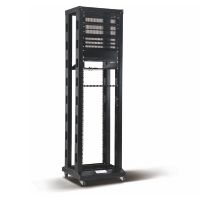
Open-frame rack for telecom rooms, lab environments and patching areas where enclosure panels are not required.

Wall mount cabinet for access switches, patch panels, small network nodes and compact equipment installation.

Rack PDU options for cabinet-level power distribution, outlet planning and input plug configuration.

Horizontal cable manager for patch cord routing, bend radius control and a cleaner cabinet front layout.

Fixed shelf for equipment that cannot be directly mounted on 19-inch rack rails or needs extra support.

Fan plate accessory for cabinet ventilation where equipment heat, enclosure airflow and room conditions must be reviewed.

Grounding and bonding accessories for cabinet safety, rack continuity and installation planning.
| Project Condition | Recommended Direction | Risk to Check Before Ordering |
|---|---|---|
| Servers, UPS or deep active equipment | Use a floor-standing server cabinet with enough depth, static load capacity, rear access and ventilation area. | Equipment protrusion, blocked rear door, insufficient cooling space and overloaded shelves. |
| Switches, patch panels and telecom equipment | Use a network cabinet or open frame rack depending on security, airflow and maintenance access requirements. | Cable congestion, difficult patch cord routing and poor port visibility. |
| Small access node or wall-mounted network point | Use a wall mount cabinet with suitable depth, load rating, cable entry and door clearance. | Door closure problems, limited PDU position and insufficient bend radius space. |
| Dense patching or accessory-heavy rack | Plan cable managers, shelves, PDUs, fan panels, grounding kits and mounting hardware together. | Installation delay caused by missing small accessories or unclear rack layout. |
| Parameter | Why It Matters | What to Confirm |
|---|---|---|
| U Height | Defines how many devices and accessories can be installed inside the rack. | Current equipment U space, spare U space, cable manager quantity and future expansion. |
| Width and Depth | Controls cable space, side clearance, equipment fit and rear maintenance access. | 600 / 800 mm width, equipment depth, rear cable space and room layout limitation. |
| Static Load | Prevents cabinet deformation and safety risk when servers, UPS or heavy devices are installed. | Total equipment weight, shelf loading and floor-standing or wall-mounted installation method. |
| Door and Ventilation | Affects airflow, heat dissipation, dust control and physical security. | Perforated door, glass door, fan requirement, room cooling condition and access control needs. |
| Cable Entry | Determines how fiber, copper, power and grounding cables enter and route inside the cabinet. | Top or bottom entry, brush panel, cable manager, vertical routing and bend radius clearance. |
| Packing Method | Influences freight cost, installation workload and site handling. | Flat-pack or assembled delivery, carton labeling, pallet requirement and accessory packing list. |
Rack quantity, row layout, wall-mounted position, front and rear access space, door opening direction.
Server, switch, patch panel, UPS, PDU, shelf and cable manager quantity with required U space.
PDU input plug, outlet type, mounting direction, fan plate requirement and room ventilation condition.
Assembled or flat-pack packing, carton label, accessory list, OEM mark and destination country.
Dimension, U height, material, color, door type, loading capacity and packing information.
For technical reviewPDU, cable manager, shelf, fan plate, grounding cable, cage nuts and other installation accessories.
For quotationUseful for project submission, catalog preparation, distributor quotation and internal approval.
For sales supportLabeling, carton mark, packing format and project-specific configuration notes can be discussed.
For distributor projectsPlease provide U height, width, depth, loading requirement, door type, color, quantity, accessory requirement, packing method and destination country. If the equipment list is available, it is easier to confirm the cabinet depth and accessory BOM.
A server cabinet is usually selected for deeper and heavier active equipment such as servers, storage and UPS. A network cabinet is commonly used for switches, patch panels and structured cabling. The final selection should consider depth, load, airflow, cable density and maintenance access.
An open frame rack is suitable for telecom rooms, labs and patching areas where equipment security and dust protection are less critical, and where easy access, ventilation and cable operation are more important.
Yes. Wall mount cabinets are suitable for small network nodes, access switches, patch panels and compact equipment. Buyers should confirm cabinet depth, wall loading, cable entry, PDU position and door clearance before ordering.
Common accessories include PDUs, horizontal cable managers, fixed shelves, fan plates, grounding cables, cage nuts, screws, brush panels and other cabinet fittings. Ordering them together helps reduce installation delays.
Yes. ZION can discuss OEM / ODM requirements such as cabinet labels, carton marks, product documentation, accessory packing lists and distributor project packaging.
Both directions can be discussed depending on cabinet type, quantity, freight cost, site handling and project schedule. Flat-pack delivery may reduce freight volume, while assembled delivery may reduce site assembly work.
Yes. Send the room layout, rack quantity, equipment list, port count, PDU requirement, cable routing plan and preferred cabinet type. ZION can help organize the cabinet and accessory combination for quotation review.
Send ZION your equipment list, rack size requirement, room layout, PDU requirement and preferred cabinet type. Our team can help organize server cabinets, network cabinets, open racks, wall mount cabinets and rack accessories into a clearer BOM for project quotation, sample review or distributor support.