Installation Manual for Operating the MTC-SC Pushable Fiber Cable
Author: James Publish Time: 28-05-2025 Origin: Site
■ Complete Product Image
MTC-SC pushable fiber cable is a type of pushable fiber optic jumper, manufactured for quick, reliable and uncomplicated fiber deployment in FTTH and FTTX networks.
This pre-terminated FTTH drop cable design is considered for easy routing into indoor walls, conduits, and places where microduct fiber optic solutions are used, without the need of coupling or splicing.
Its standard SC connector on one end and bullet-style pushable connector (MTC) on the other end make this SC bullet fiber jumper a great choice to reach the challenging locations for last drops in the fibre network— through the tight wall spaces or small ducts.
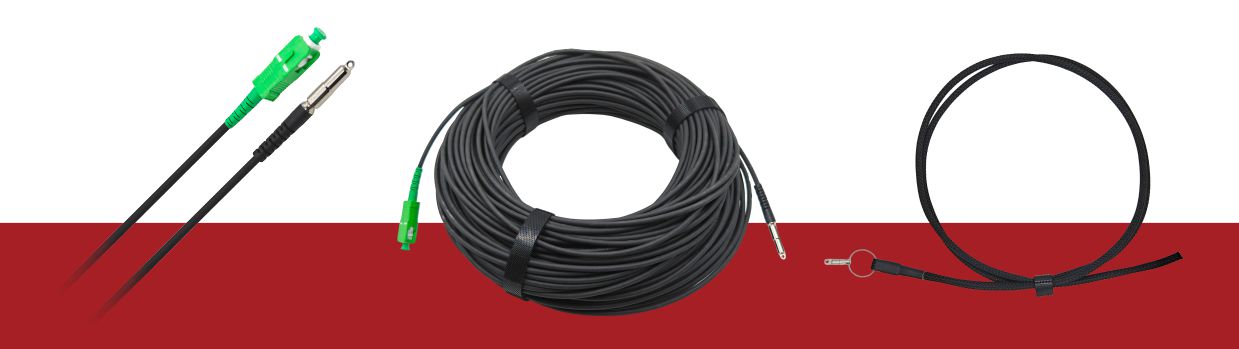

On the End A, there is a standard SC/APC connector with a 2.5 mm ferrule.
On the End B, the components are provided separately
a 2.5 mm APC ferrule, a green SC housing, a white body, and a bullet-style protector.
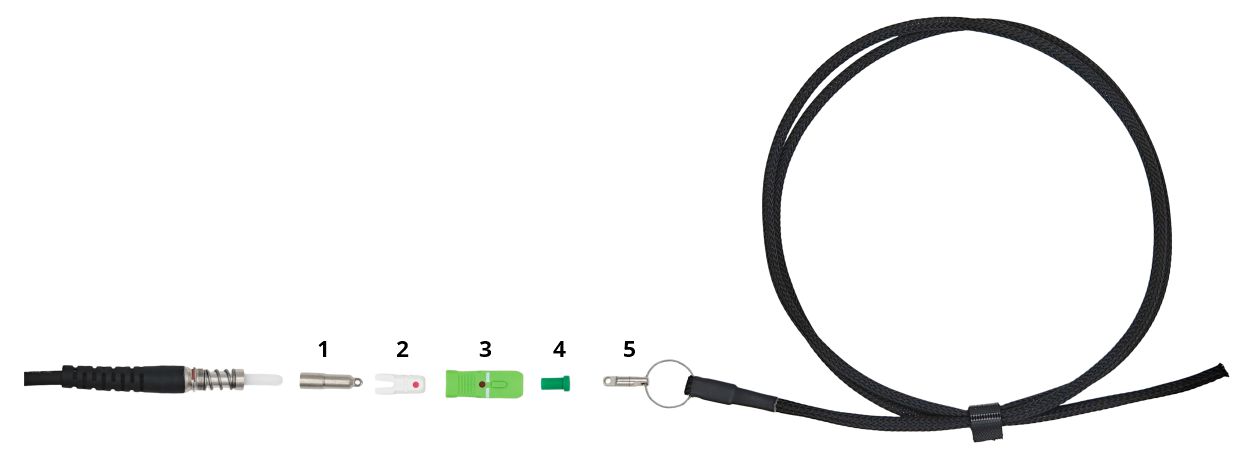
1. Bullet-Style Protector
2. Mountable Body
3. Mountable Housing
4. Dust Cap
5. Pulling Mesh with Swivel
■ Operating Instructions
A. Pulling Operation
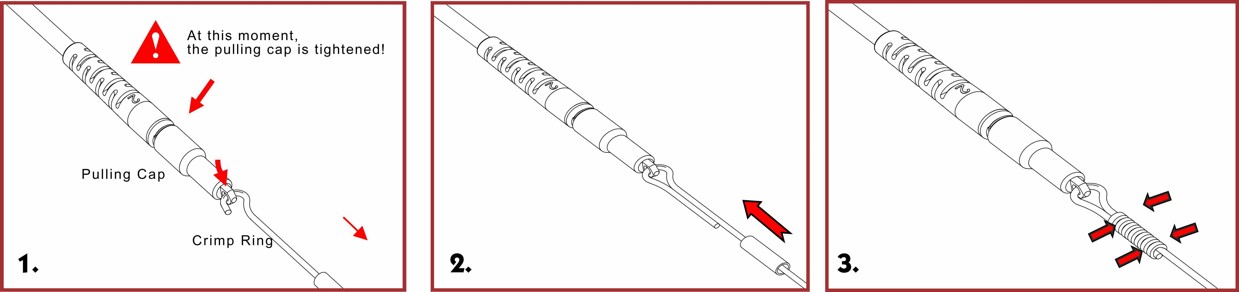
a) Wire Pulling (Cable specification: 1mm)
1. Insert φ1mm wire into the crimp ring and pass through the round hole of the bullet protector.
2. Place the upper crimp ring at the overlapped section of the twisted wire.
3. Press the crimp ring with pliers to securely fix the wire.
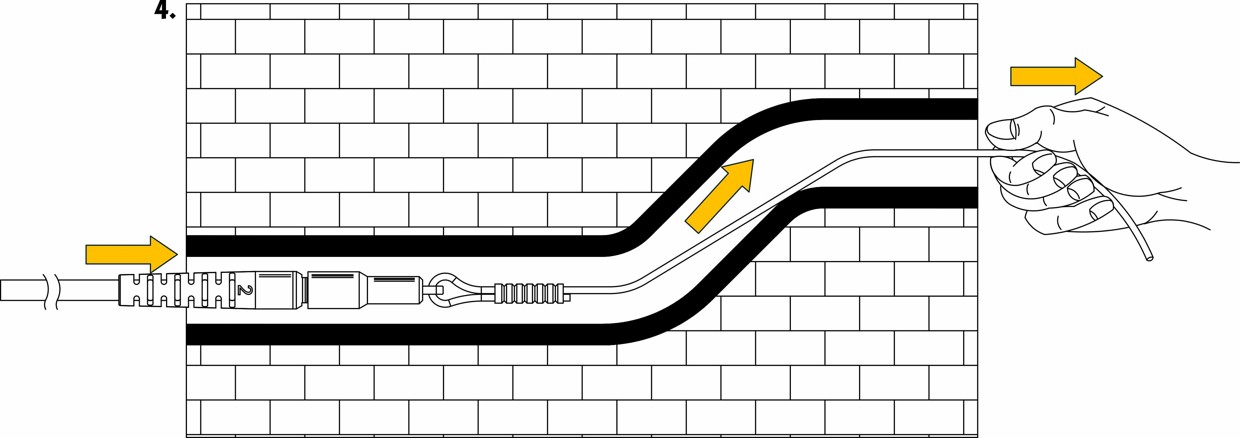
4. Pull the connector body through the wall conduit to the target location using the wire.
b) Mesh Pulling (Mesh specification: φ6mm)
1. Pinch the tail sleeve of the connector body.
2. Push the mesh forward with the right hand while holding with the left, then pinch the bullet.
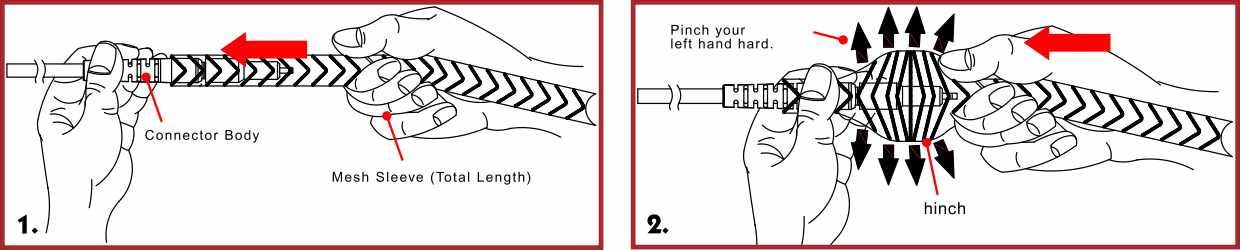
3. Hold the right hand still, release the left; the mesh will shrink and grip the main optical cable.
4. Repeat until mesh reaches 80cm. Hold the body with right hand, smooth mesh with left.

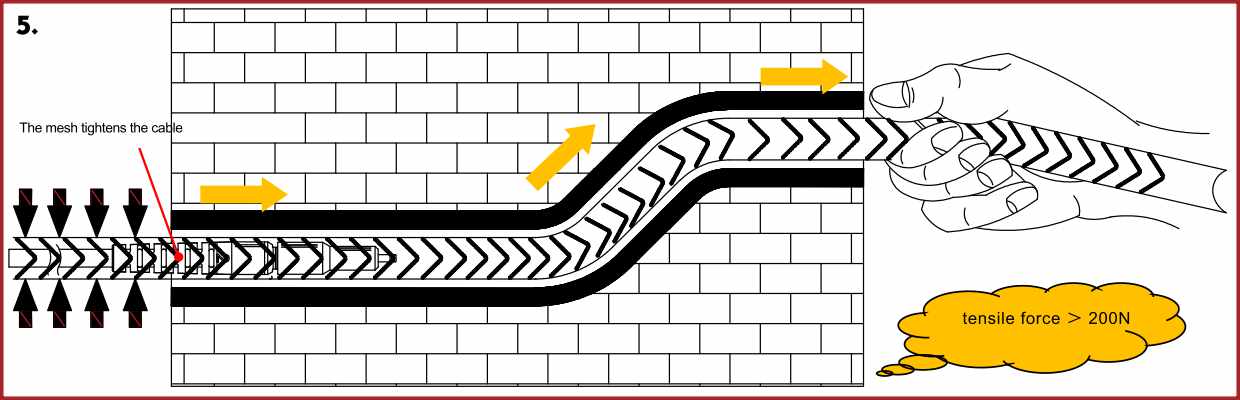
5. Use mesh as pulling carrier to pass through conduit to target position.
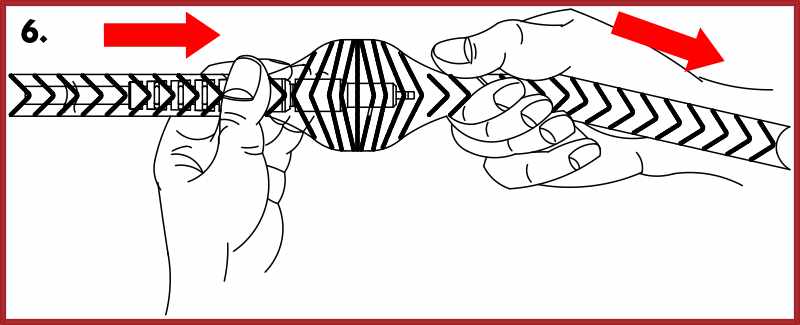
6. To remove the mesh, follow reverse steps.
B. Bullet Connector Assembly
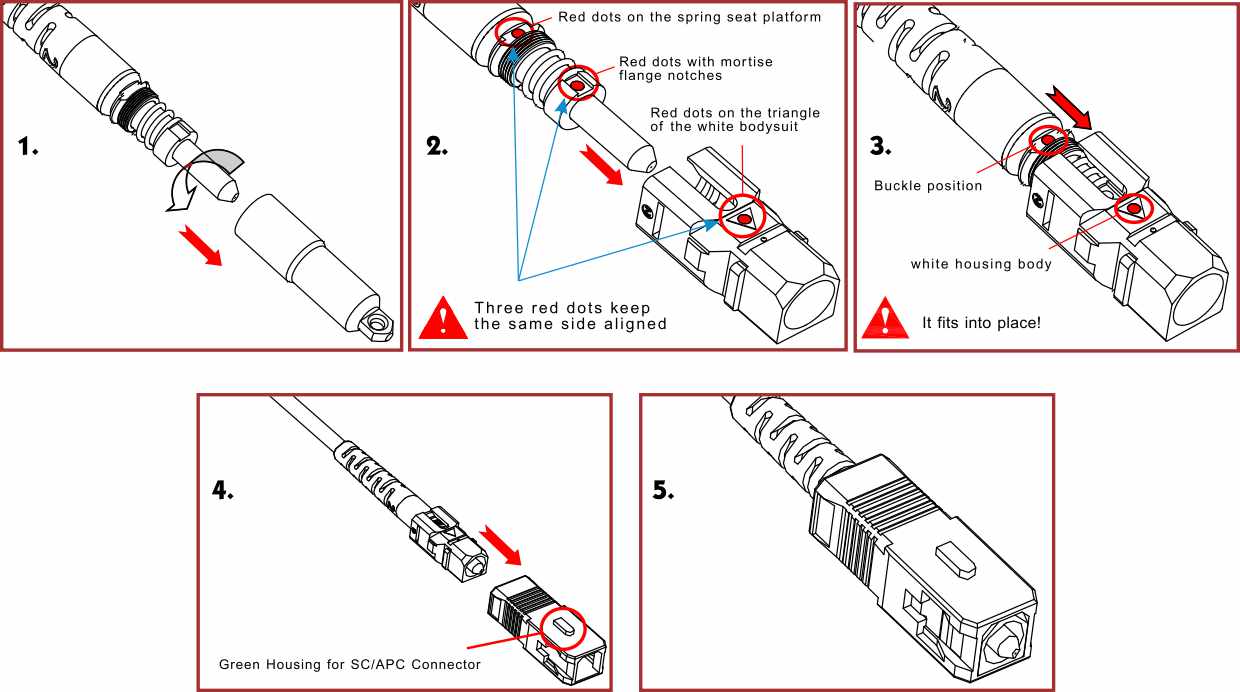
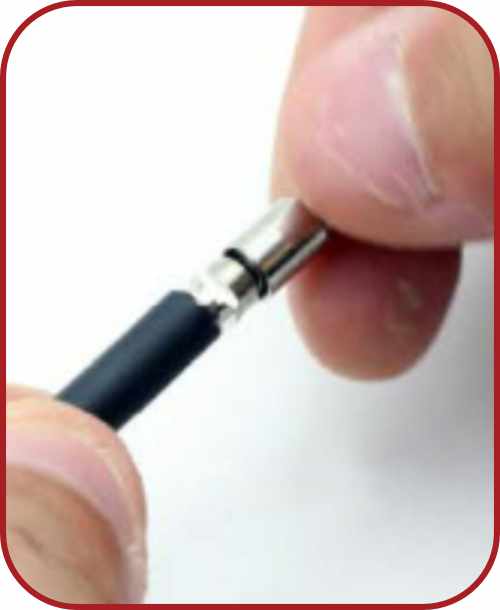
1. Turn counterclockwise to remove bullet protector, exposing connector body.
2. Align the red mark on the white body with the red mark on the metal base.
3. Insert main body into white housing until it clicks into the slot.
4. Align green SC/APC housing's red mark with the white body's mark and click into place.
5. Connector assembly is complete.
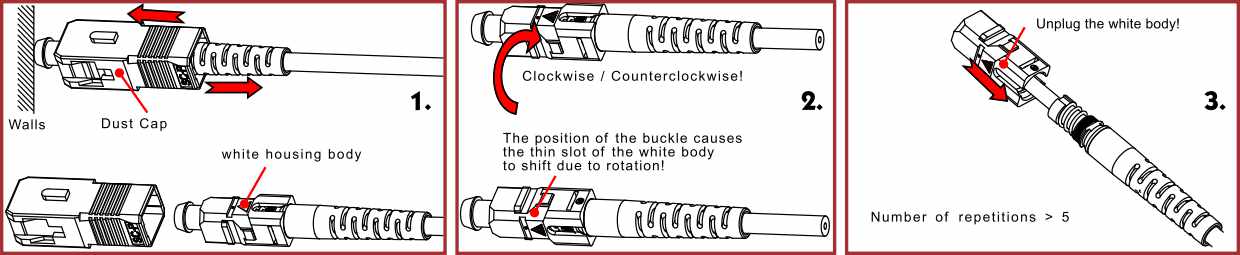
C. Disassembly Method
1. Cover the dust cap, press against wall to eject the green SC/APC housing.
2. Hold connector tail and rotate the white housing 90° to release the body.
3. Hold white housing and pull the connector axially to remove it.
D. Screw-on Bullet Protector Instructions
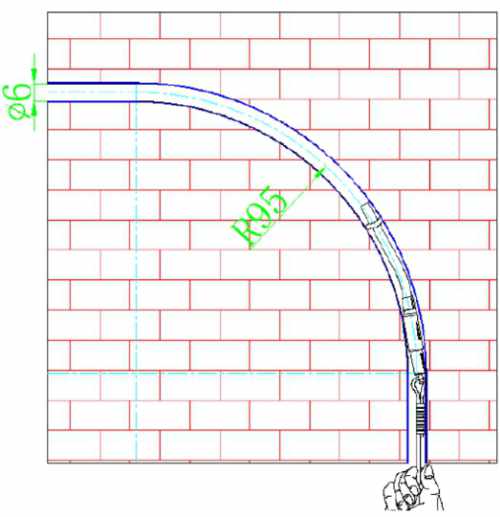
Application
Suitable for conduits with inner diameter >6mm and bending radius >95mm;
Still Have Questions About Fiber Patch Cords?
We are available for support! Dial our experts in fiber optics for OEM or a free quote.

James is a technical manager and associate at Zion Communication.
Specializes in Optical Fiber communications, FTTH Solutions,
Fiber optic cables, ADSS cable, and ODN networks.
james@zion-communication.com
+86 13777460328