A solar PV system normally uses more than one cable type. PV DC cable connects solar modules, strings and combiner boxes; MC4 extension cable helps complete panel-side connections; AC power cable carries inverter output to distribution equipment; grounding cable supports earthing; battery cable is used when storage is included; and RS485, Ethernet or fiber cable may be used for monitoring. Before purchasing, buyers should confirm system voltage, current, installation route, outdoor exposure, connector type, local standard and whether the project includes battery storage or remote monitoring.
Cable types used in a solar PV system
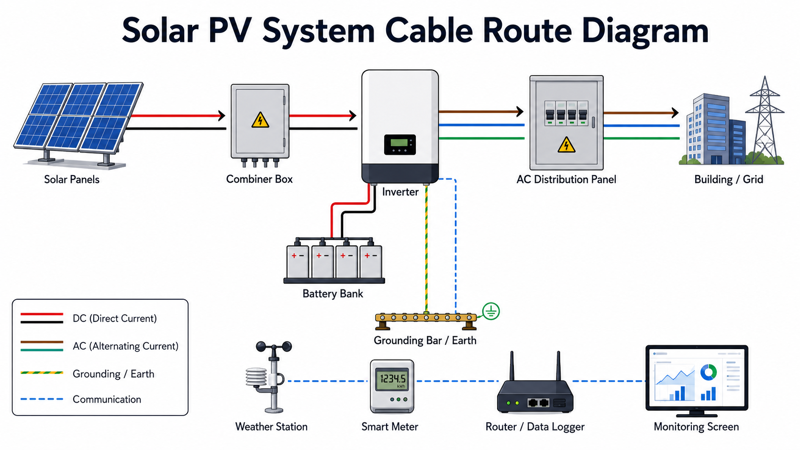
The safest way to build a solar cable list is to follow the electrical path of the system. PV-side DC routes, AC output routes, battery routes, grounding routes and communication routes should be separated before a supplier prepares a quotation.
| System position | Typical cable used | Main function | Buyer decision |
|---|---|---|---|
| PV module to PV module | PV DC cable / MC4 extension cable | DC string connection | Cable size, connector type, polarity |
| String to combiner box | Solar PV cable | DC power collection | Standard, voltage rating, UV resistance, route length |
| Combiner box to inverter | Larger PV DC cable | DC feeder connection | Ampacity, voltage drop, route protection |
| Inverter to AC panel | AC power cable | AC output transmission | Local code, voltage, current, installation method |
| Battery bank to inverter | Battery cable | DC storage connection | Current, flexibility, insulation, terminal type |
| Equipment grounding | Grounding / earthing cable | Safety bonding | Conductor material, size, local code |
| Monitoring devices | RS485 / Ethernet / fiber | Data communication | Protocol, distance, shielding, outdoor rating |
How cables are selected by project condition
The same product name may not fit every solar project. A commercial rooftop system, a solar farm and a hybrid solar system each require a different cable mix because routes, exposure, current paths and monitoring architecture are different.
| Project condition | Cable family to check first | Why |
|---|---|---|
| Rooftop PV system | PV DC cable + AC cable + grounding cable | Exposure and building-side route must be separated |
| Utility-scale solar farm | PV cable + armoured cable + communication cable | Long routes and outdoor protection dominate |
| Hybrid solar with battery | PV cable + battery cable + monitoring cable | DC current path and battery terminals must be confirmed |
| Solar farm with SCADA | RS485 / Ethernet / fiber | Communication distance and protocol affect cable choice |
| Export distributor order | PV cable + documents + packing | Standard, marking and datasheet consistency matter |
Common BOM mistakes to avoid
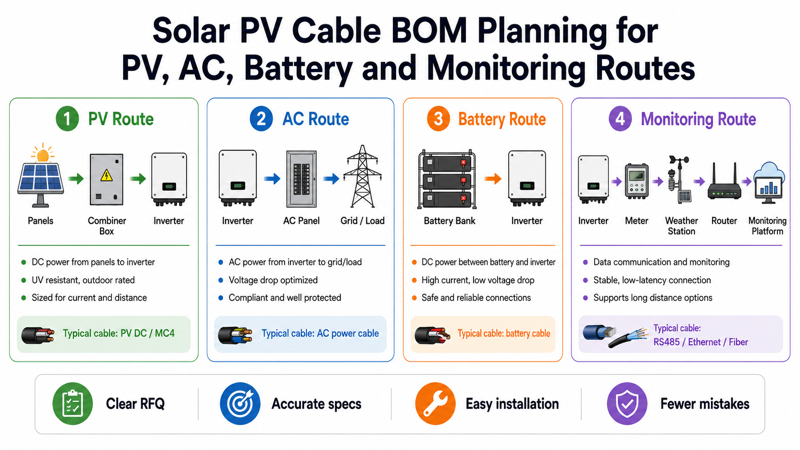
Solar cable mistakes often happen at the RFQ stage, before installation starts. If the buyer only sends a cable name, the supplier may not know whether the cable is for DC strings, AC output, battery connection or monitoring data.
| Mistake | Project risk | How to avoid |
|---|---|---|
| Only asking for “solar cable” | Supplier may quote the wrong standard or size | Specify standard, voltage, size, color and route |
| Ignoring connector type | Field mismatch or unsafe connection | Confirm connector brand/type and cable section |
| Mixing DC and AC cable logic | Wrong cable selected for system side | Separate PV DC side and AC output side |
| Forgetting monitoring cables | System cannot report data reliably | Confirm inverter, meter, weather station and gateway interface |
| No route information in RFQ | Incorrect jacket or protection level | Provide rooftop, conduit, tray, buried or indoor route |
Related ZION products for this application
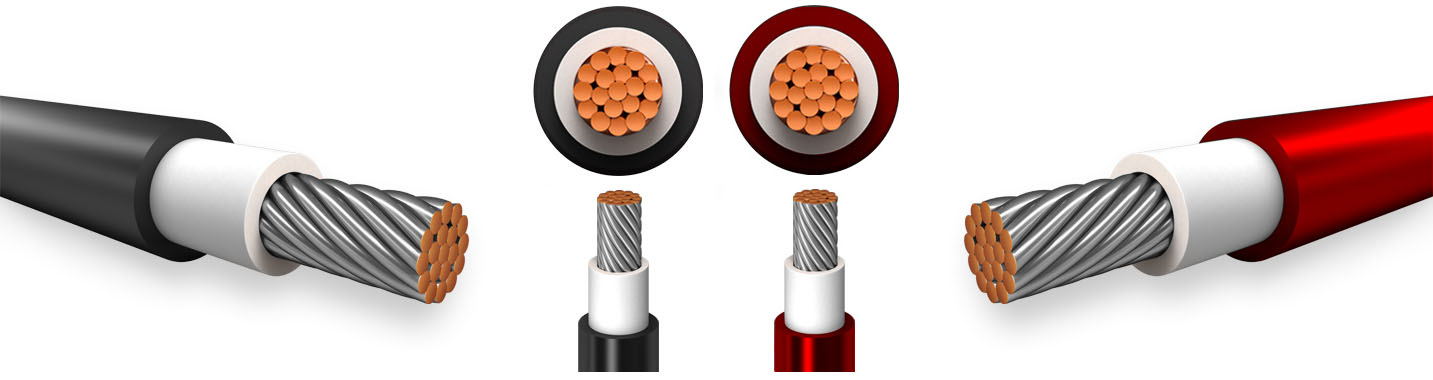
Solar Cable Product Category
Main product family for PV DC wiring in strings, combiner box routes and inverter-side DC runs.
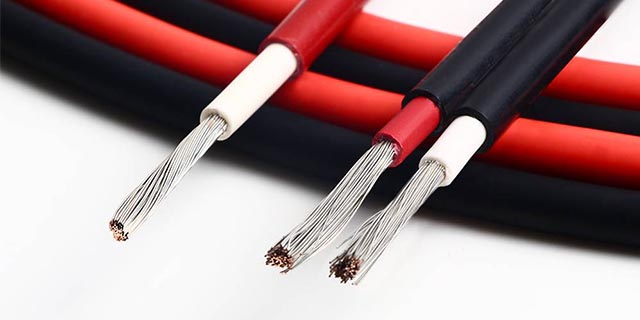
Solar PV Cable Solution
Application page for selecting solar cable by standard, route, voltage, current and voltage-drop target.
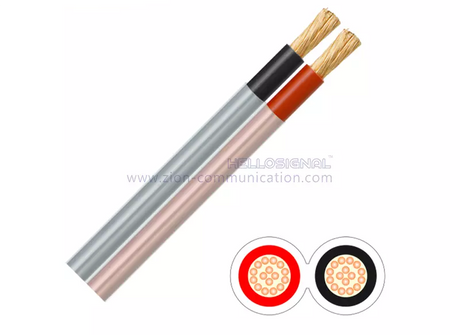
Battery Cable Solution
Useful when a solar system includes storage, battery banks or DC cabinet routes.
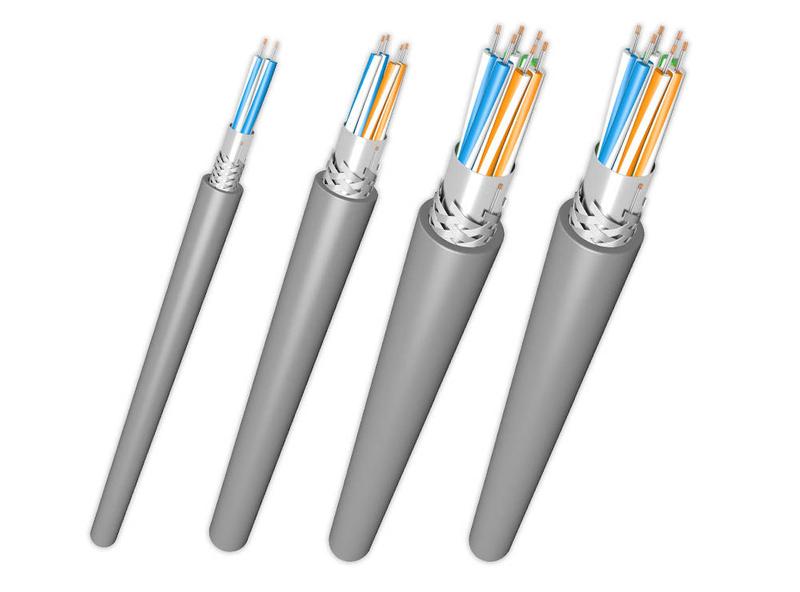
RS485 / RS232 Communication Cable Solution
Supports inverter, meter, controller and gateway communication routes in monitoring systems.
What ZION can support
ZION can support early-stage cable family matching when a buyer has a system type, route schedule or preliminary BOM. The support should be used for product matching and documentation discussion, while final electrical sizing and local code approval remain with the project engineer.
- Cable family matching by PV system position
- Project BOM review for solar cable, battery cable and communication cable
- Datasheet support for solar cable selection
- Sample support for distributor or project evaluation
- Quotation support based on cable size, length, color and packing requirement
FAQ
What cable is mainly used in a solar PV system?
The main DC-side cable is solar PV cable, used between modules, strings, combiner boxes and inverters. A complete project may also need AC power cable, grounding cable, battery cable and communication cable.
Is solar cable the same as normal electrical cable?
No. Solar PV cable is designed for outdoor DC-side PV applications where UV exposure, temperature, weather and long-term installation conditions are important. Normal building wire should not be substituted unless the project standard allows it.
Do all PV systems need battery cable?
No. Battery cable is only needed when the solar system includes battery storage, hybrid inverter connections, battery cabinets or DC backup systems.
What communication cable is used in solar monitoring?
Solar monitoring may use RS485, Ethernet or fiber depending on inverter, meter, weather station and gateway design. The final cable should be selected according to device manuals and route distance.
What should I confirm before asking for a solar cable quotation?
Confirm cable standard, conductor size, voltage level, color, route, outdoor exposure, connector requirement, drum length and documentation needs.
Sources and references
Use ZION Solar PV Cable Solution, Solar Cable category, Energy & Power Infrastructure solution, Battery Cable Solution, RS485 / RS232 Solution and relevant PV cable or connector standards. Do not state final cable size, current capacity, certification or service life unless supported by product datasheet or certificate.