
The direct answer: select data, power and video separately
For charging and basic synchronization, a 480Mbps cable may be sufficient. For external storage and mainstream docks, move to a full-featured 20Gbps cable. Workstation-class USB4 links and the listed 8K/60Hz display workload require a 40Gbps option in the current ZION USB-C cable range.
Charging capacity is a separate decision. A cable built for 100W can be appropriate for many notebooks, while higher-power systems may require a 240W, 5A cable. Actual charging power is negotiated by the charger, device and cable, so the cable rating describes capacity rather than a guaranteed power draw.
Interactive USB-C cable selector
Choose the minimum values required by the complete system. The result identifies a current ZION catalog model when the published specifications cover the combination. Requirements outside the reviewed range are routed to project review.
Data speed
File transfer, SSD or dock bandwidth
Charging power
Maximum cable power target
Video workload
Display path required from the system
ZCD120 is the balanced match
The selected 20Gbps, 140W and 4K/60Hz requirements fit the published ZCD120 capability.
The source device, dock or adapter and display must also support the requested video mode. Confirm the required length before ordering.
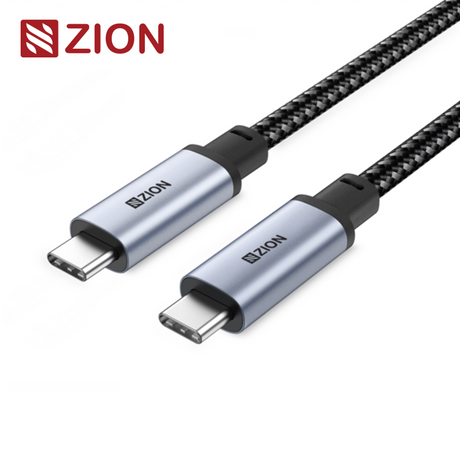
Up to 20Gbps, 240W and 4K/60Hz, with listed lengths from 0.5m to 2m.
Open ZCD120 product page →Compare current ZION USB-C cable models
The current product range separates charging-focused, balanced full-function and premium USB4 requirements. Product images and specifications below link to their matching ZION detail pages.
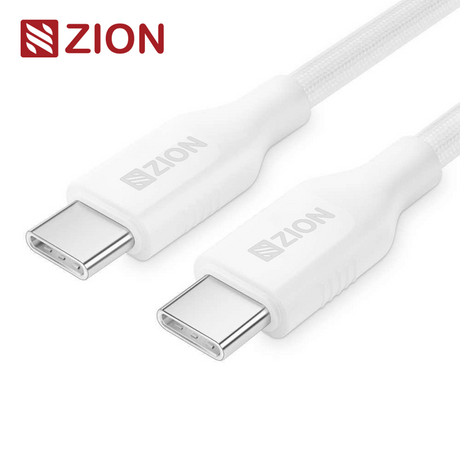
100W PD Fast Charging Cable
For notebook, tablet and phone charging with basic USB data synchronization.
ZCD122 specifications → USB 20Gbps Full-Function Cable
For external SSDs, modern docks and listed 4K/60Hz display connections.
ZCD120 specifications →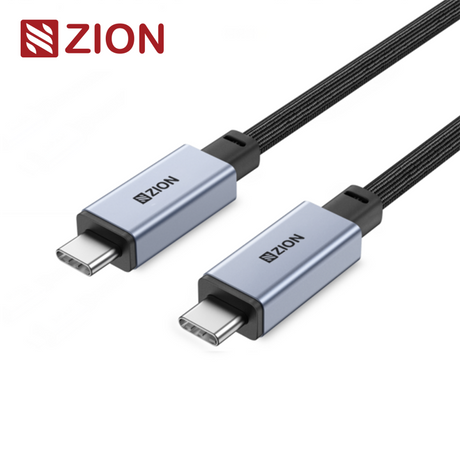
USB4 40Gbps Full-Function Cable
For USB4 docks, high-speed storage and the listed 8K/60Hz single-display workload.
ZCD119 specifications →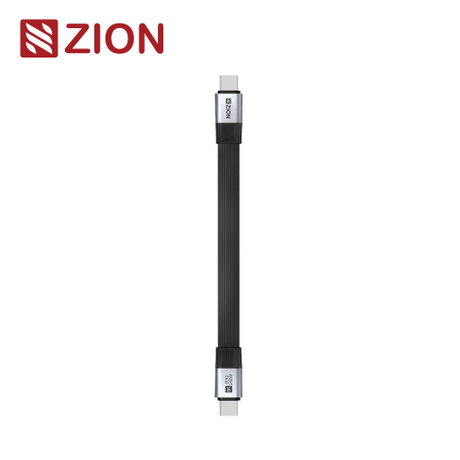
USB4 Ultra-Thin Portable Cable
For compact travel and short desk links that need premium USB4 capability.
ZCD124 specifications →| Model | Primary selection intent | Data | Power | Published video capability | Listed lengths |
|---|---|---|---|---|---|
| ZCD122 | Fast charging and basic sync | 480Mbps | 100W / 5A | Not the main focus | 1m, 1.5m |
| ZCD120 | Balanced data, charging and display | 20Gbps | 240W / 5A | 4K/60Hz | 0.5m, 1m, 1.2m, 1.5m, 2m |
| ZCD119 | Standard-length USB4 workstation | 40Gbps | 240W / 5A | 8K/60Hz single; dual 4K/60Hz | 0.5m, 1m, 1.2m, 1.5m, 2m |
| ZCD124 | Ultra-short portable USB4 link | 40Gbps | 240W / 5A | 8K/60Hz single; dual 4K/60Hz | 0.13m |
Product capabilities and listed lengths reflect the linked ZION product pages. Confirm the final length, device combination and required documentation for the specific project.
Why one USB-C connector can describe very different cables
USB-C is the physical connector system. Two cables can have the same reversible plugs while serving different electrical and signal requirements. Reading the connector alone does not identify the data rate, current capacity or whether the complete link can carry video.
| Rating | What it answers | Typical purchasing question | What else must be checked |
|---|---|---|---|
| Data speed | Maximum listed USB transfer performance | Will it support sync, SSD or dock traffic? | Host, device and cable length |
| Power | Maximum current and power capacity | Can it cover the charger and notebook target? | Charger, device negotiation and E-Marker |
| Video | Published display workload for the cable | Is the cable suitable for the intended monitor path? | Source port, Alt Mode or tunneling, dock and display |
Information needed for a USB-C cable RFQ
A useful quotation request gives the supplier enough information to check the whole cable construction rather than only the connector type. Prepare the following details before requesting a sample or commercial offer.
Frequently asked questions
Does every USB-C cable support video?
No. USB-C identifies the connector. Video requires a full-featured cable and compatible video support from the source, any dock or adapter, and the display.
Which ZION cable is intended for 100W charging and basic data sync?
ZCD122 is the charging-focused option. Its product page lists up to 100W, 5A and 480Mbps, with 1m and 1.5m versions.
When should I choose ZCD120 instead of ZCD119?
Choose ZCD120 when 20Gbps, up to 240W and 4K at 60Hz meet the project. Choose ZCD119 when the system requires 40Gbps USB4 or the listed 8K at 60Hz single-display capability.
Can the current ZION range be selected for 80Gbps or 4K at 120Hz?
The reviewed ZION product pages list up to 40Gbps and do not list 4K at 120Hz. Submit these requirements for project review instead of treating a 40Gbps catalog cable as a confirmed match.
What information should be included in a USB-C cable RFQ?
Include the required data rate, maximum charging power, video workload, cable length, source and destination devices, connector finish, jacket preference, quantity, packaging and required compliance documentation.
Prepare a USB-C cable requirement for review
Submit the data rate, charging target, video workload, length, connected devices, quantity, packaging and documentation requirements so the ZION team can review the most suitable cable construction.
Request Project Support


