How to Add New Cable Types to Your Product Range Without Overstocking
Author: Site Editor Publish Time: 24-04-2026 Origin: Site
How to Add New Cable Types to Your Product Range Without Overstocking
Adding new cable types does not mean filling your warehouse with every possible specification. A safer strategy is to build product coverage first, validate real demand, use samples and trial orders, and stock only the cable models with repeated and predictable turnover.
Stock predictable cable models with repeated demand.
Use samples, datasheets, and trial orders for developing cable categories.
Keep project-specific cables as make-to-order items until demand is proven.
■ 1. Direct Answer: Add New Cable Types Only After Demand Is Technically Verified
Adding new cable types to your product range does not mean stocking every possible construction, jacket, core count, or standard. The safer strategy is to separate market-facing product coverage from physical inventory commitment. Start with project-backed demand, validate the technical specification, test sample-level interest, and keep only fast-moving or repeatedly requested items in stock.
Project-specific cable types—such as armored fiber optic cable, fire alarm cable, PAGA cable, RS485 cable, outdoor multipair telephone cable, CCTV composite cable, control cable, or customized LAN cable—should usually begin as sample-based, quotation-based, or make-to-order items before becoming regular inventory.
■ 2. Why Cable Range Expansion Often Creates Overstock Risk
Cable products look simple from the outside, but each product family can quickly multiply into many SKUs. A single cable category may vary by conductor size, core count, shielding, armor, jacket material, flame rating, color, packing length, standard, and application environment.
This creates a common problem: a distributor adds too many versions too early, but only a few become repeat orders. Overstock is usually not caused by product variety itself. It is caused by adding product variety before demand, standards, MOQ, and application boundaries are clear.
| Overstock Cause | What Usually Happens | Business Risk |
|---|---|---|
| Too many variants added at once | Core count, jacket, color, shielding, and armor versions are stocked before demand is proven. | Slow-moving inventory and cash pressure. |
| One project inquiry is treated as repeat demand | A tender-driven cable is purchased as regular stock. | Dead stock after the project ends. |
| Local standards are unclear | The stocked cable does not match approval, installation, or tender requirements. | Product cannot be used in real projects. |
| MOQ is not evaluated | A large batch is ordered before market testing. | Warehouse and capital lock-up. |
| Technical screening is weak | Similar-looking cables are added without confirming shielding, jacket, fire rating, or mechanical needs. | Compatibility disputes, returns, and project delays. |

■ 3. The Right Principle: Sell a Wider Range, Stock a Narrower Range
A good cable product strategy should not treat every product page as a warehouse SKU. Instead, divide the product range into three layers: core stock items, sample-supported items, and project-based make-to-order items.
Core Stock Items
Regularly sold, predictable, frequently requested cables that support fast delivery and stable monthly turnover.
Sample-Supported Items
Products with growing demand but not enough sales history for full inventory commitment.
Project-Based Items
Customized, tender-driven, or low-frequency cables quoted after specification confirmation.
| Product Type | Demand Pattern | Stock Strategy | Example Cable Types |
|---|---|---|---|
| Core stock | Repeated monthly demand | Keep regular inventory | Common LAN cable, FTTH drop cable, patch cords, standard coaxial cable |
| Semi-stock | Repeated inquiries but unstable order volume | Keep samples, datasheets, and limited trial stock | Shielded audio cable, RS485 cable, outdoor multipair cable, CCTV composite cable |
| Project-based | Tender-driven or customized | Quote after specification confirmation | Armored fiber optic cable, fire alarm cable, PAGA cable, control cable |
| Custom / OEM | Depends on brand, marking, packing, or local standards | Produce against order | Private-label cables, special length reels, project-specific printing |
■ 4. Start with Application Groups, Not Random Cable Models
The biggest mistake is adding new cable types only because customers ask for product names. A better method is to group demand by application. This helps the sales team understand where the cable is used, whether the demand is repeatable, and whether existing products can already cover the requirement.
| Application Group | Typical Cable Families | Stock Risk Level | Selection Notes |
|---|---|---|---|
| FTTH / telecom access | FTTH drop cable, ADSS cable, outdoor fiber optic cable | Medium | Core structures may repeat, but fiber count and jacket details vary. |
| Data center / structured cabling | LAN cable, patch cord, MPO/MTP cable, fiber patch panel | Low to medium | Fast-moving items can be stocked; high-density assemblies may need project confirmation. |
| Security / CCTV | RG59+2C, coaxial cable, alarm cable, control cable | Medium | Demand depends on analog/IP system design and installation habits. |
| Fire alarm / emergency systems | Fire alarm cable, PAGA cable, LSZH cable, fire-resistant cable | High | Standards and approval requirements must be confirmed before inventory. |
| Industrial control | RS485 cable, instrumentation cable, control cable, shielded cable | Medium to high | Shielding, impedance, conductor size, and jacket environment are critical. |
| Outdoor / direct burial | Armored cable, rodent-proof cable, double jacket cable | High | Stock only after confirming local route conditions and repeat demand. |
■ 5. Use a Demand Proof Process Before Stocking
Before adding a cable type into regular inventory, use a staged validation process. This reduces the risk of buying too much too early and helps the sales team build confidence with real project evidence.
Track inquiry frequency, region, project type, quantity, delivery time, and whether customers accept alternatives.
Clarify construction, jacket, shielding, armor, approval standard, and installation environment.
Prepare samples for customer approval, product photography, internal training, and tender support.
Use a small batch or project order to test real customer acceptance and installation feedback.
Only repeated, stable demand should become regular stock.

■ 6. Stock Decision Matrix: When to Stock, Sample, or Make to Order
The following matrix can help procurement teams, distributors, and system integrators decide how to introduce new cable types without overcommitting inventory.
| Decision Factor | Keep in Stock | Keep Sample Only | Make to Order |
|---|---|---|---|
| Monthly demand | Stable and repeated | Occasional but promising | Project-specific |
| Specification variation | Low | Medium | High |
| MOQ risk | Low | Medium | High |
| Approval requirement | Common and predictable | Needs confirmation | Project-dependent |
| Delivery urgency | Customers need fast delivery | Customers can wait for confirmation | Lead time can be planned |
| Example | Standard LAN cable | Shielded audio cable | Special fire alarm / armored cable |
■ 7. Technical Checklist Before Adding a New Cable Type
Before a new cable type enters your product range, the sales team and engineering team should confirm the specification together. This prevents wrong product positioning, compatibility disputes, and repeated quotation revisions.
| Item to Confirm | Why It Matters | Example Questions |
|---|---|---|
| Cable application | Prevents wrong product positioning. | Is it for telecom, security, fire alarm, industrial control, or data transmission? |
| Installation environment | Determines jacket, armor, and water protection. | Indoor, outdoor, duct, direct burial, aerial, tray, or conduit? |
| Conductor / fiber specification | Affects performance and compatibility. | Copper size, fiber type, core count, impedance, attenuation? |
| Shielding requirement | Prevents EMI or signal issues. | Foil shield, braid shield, drain wire, screened pairs? |
| Jacket material | Affects fire safety, UV resistance, flexibility, and durability. | PVC, PE, LSZH, FR-PVC, TPU, or special material? |
| Armor requirement | Affects mechanical protection and cost. | Steel tape, steel wire, CST, or non-armored? |
| Packing and marking | Important for distribution and project traceability. | Reel length, jacket print, label, barcode, OEM brand? |
■ 8. Use Specification Families Instead of Too Many SKUs
A specification family is a group of related cable models that share the same basic structure but vary by core count, conductor size, jacket, shielding, armor, or packing. This is better than creating many disconnected SKUs.
| Product Family | Core Stock Option | Optional Variants | Best Inventory Strategy |
|---|---|---|---|
| FTTH drop cable | 1/2/4-core common models | Jacket color, strength member, printing | Stock common models; customize others. |
| LAN Ethernet cable | Cat5e / Cat6 common boxes | Outdoor, shielded, LSZH, special color | Stock standard types; quote special jackets. |
| Fiber optic cable | Common outdoor loose tube cable | Armored, double jacket, rodent-proof, water-blocking | Keep samples; produce project quantities. |
| RS485 cable | Common 1-pair shielded cable | Multi-pair, outdoor, armored, LSZH | Keep sample and datasheet; stock only repeated models. |
| Fire alarm cable | Locally common structure | Screened, fire-resistant, LSZH, approved versions | Confirm standard before stock. |
■ 9. Reduce Overstock by Using Supplier-Supported Range Expansion
For distributors and system integrators, the right supplier can reduce inventory pressure. Instead of buying every cable type upfront, work with a manufacturer that can support product range expansion through samples, documentation, quotation speed, and flexible customization.
Product family recommendations and application-based alternatives
Datasheets, technical comparison tables, and product photos
Sample preparation for sales validation and project approval
MOQ, lead time, packing, and OEM marking discussion
Project specification review before quotation
Flexible customization for jacket, shielding, armor, printing, and reel length
Zion Communication supports buyers and distributors across fiber optic cable, LAN cable, coaxial cable, CCTV cable, fire alarm cable, RS485 cable, control cable, armored cable, and project-specific cable assemblies. The value is not only manufacturing. The value is helping buyers decide which products deserve inventory and which should remain project-based.
■ 10. Recommended Workflow for Adding a New Cable Type
A low-risk workflow should help the business move from market signal to inventory decision in controlled stages.
| Stage | Main Action | Output |
|---|---|---|
| 1. Market signal | Collect inquiries and project requests. | Demand evidence. |
| 2. Technical screening | Confirm application, standard, construction, and environment. | Valid product definition. |
| 3. Supplier check | Confirm sample, MOQ, lead time, customization, and documents. | Supply feasibility. |
| 4. Sample stage | Prepare samples, photos, datasheet, and sales notes. | Market testing tools. |
| 5. Trial order | Run a small batch or project-based order. | Real customer feedback. |
| 6. Inventory decision | Review repeat demand and turnover. | Stock / semi-stock / make-to-order decision. |
| 7. Product page update | Publish clear selection guidance and option tables. | Lead generation and SEO value. |
■ 11. FAQ
Should distributors stock every cable type they list on their website?
No. A website can show product capability, but physical stock should be limited to predictable, fast-moving products. Specialized cable types can be listed as sample-supported or project-based items.
What is the safest way to test a new cable category?
Start with samples, datasheets, and project quotation support. Then use trial orders before committing to regular inventory.
Which cable types usually have higher overstock risk?
Cable types with many standards, jackets, shielding options, armor structures, or project-specific requirements usually have higher risk. Fire alarm cable, PAGA cable, armored cable, industrial control cable, and custom outdoor cable are common examples.
How can a distributor offer more cable types without increasing warehouse pressure?
Use a supplier-supported model: keep core items in stock, keep samples for developing categories, and quote project-specific cables based on confirmed specifications.
When should a new cable type become a regular stock item?
Only when there is repeated demand, stable specification, acceptable MOQ, predictable turnover, and low risk of technical mismatch.
How does Zion Communication support product range expansion?
Zion Communication can support buyers with cable family selection, datasheets, samples, project-based quotation, OEM options, and customization discussions across fiber optic, copper, coaxial, security, fire alarm, control, and specialty cable categories.
■ 12. Conclusion: Expand Product Coverage First, Inventory Later
Adding new cable types should be a controlled business decision, not a warehouse gamble. The safest approach is to build a broader product range through technical documentation, samples, supplier support, and project-based quotation before committing to large stock quantities.
For distributors, contractors, and system integrators, the best strategy is simple: stock what moves fast, sample what is growing, and make project-specific cables to order. This approach helps your business respond to more customer needs, enter new project categories, and improve product competitiveness without creating unnecessary overstock, cash pressure, or obsolete inventory.
Need to Expand Your Cable Product Range?
Zion Communication can support cable family selection, sample preparation, datasheets, OEM customization, and project-based cable supply across fiber optic, copper, coaxial, security, fire alarm, control, and specialty cable categories.



 Fiber Optic Tools
Products 6 families
Solutions 6 markets
Resources Tools & docs
Certificate
Certification and compliance references for project review, qualification and purchasing documentation.
 Fiber Optic CableAccess and backbone
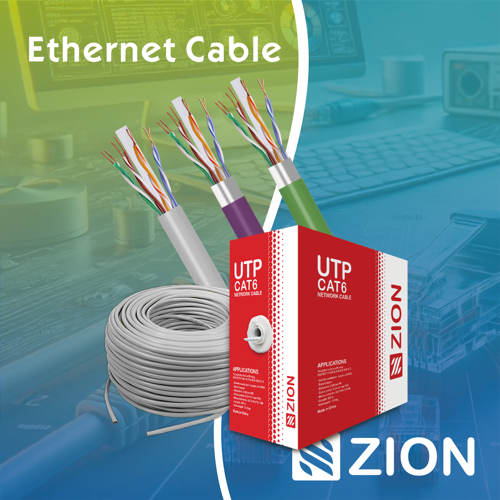 Ethernet CableCat5e to Cat8
 Coaxial CableRF and video signal
 Fire, Security & AlarmSafety systems
 Voice, Audio & VideoSignal cabling
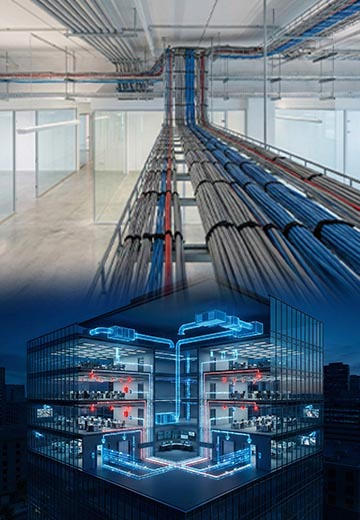 Power & Control CableEnergy and control
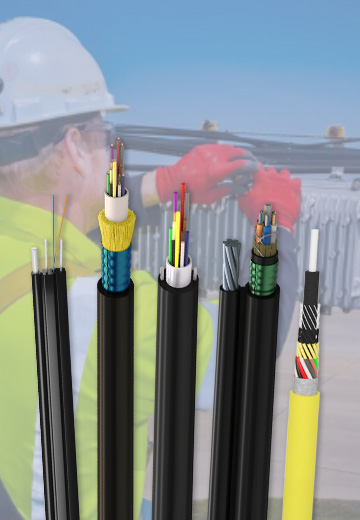
Fiber optic cable systems
Outdoor, indoor, FTTH and distribution cable lines for access networks, backbone routes and campus deployments.
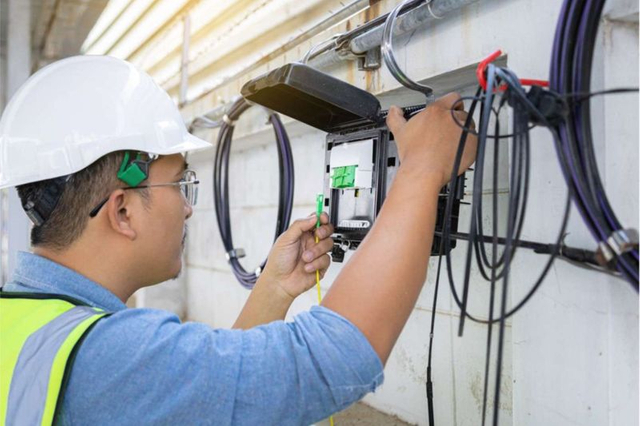 Telecom & ISP NetworksFTTH, PON, ODN
 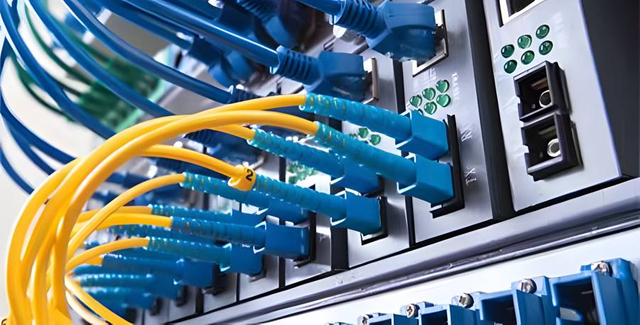 Data Center InfrastructureServer room cabling
  Building Low-Voltage SystemsBMS, AV, weak current
 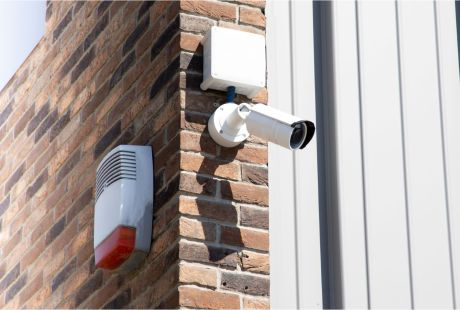 Security & Fire ProtectionAlarm, CCTV, access
  Industrial Automation CablePLC, RS485, fieldbus
  Energy & Power InfrastructureSolar, battery, power
 Telecom & ISP Networks
For FTTH / PON access, outdoor fiber deployment, aerial routes, duct routes, direct burial routes, rural broadband and ODN planning.
Tools
Use calculators and planning tools for conduit capacity, PoE voltage drop and fiber optic link loss budget work.