Start With the Product Family and Standard
The first line of a datasheet identifies the cable family and performance reference, such as EN 50200:2015 Class PH120, BS 6387:2013 Cat. C-W-Z, EN 50575 CPR Cca s1b,d0,a1, BS 7629-1 Standard 60, JE-H(St)H FE180-E30/E90, or UL fire alarm cable plenum and riser families.

Read the Construction Block Layer by Layer
The construction block normally identifies the conductor, insulation, first screen, drain wire, second screen, outer sheath, and sheath color. For EN and BS fire resistant cable families, ZION commonly lists copper conductors, silicone rubber or ceramicized silicone rubber insulation, screen layers, tinned copper drain wire, aluminum polyester tape, and LSZH sheath materials.
Confirm solid, stranded, or flexible construction and the conductor class.
Check whether the datasheet lists special mix silicone rubber, ceramicized silicone rubber, or FRNC compound.
Read whether the cable uses fibre glass tape, PET foil, aluminum polyester tape, or aluminum Mylar tape.
Confirm LSZH, FRNC, or LS-PVC material and the available sheath colors.
Use Electrical Data to Avoid Wrong Substitution
Electrical data in the catalog includes insulation resistance, test voltage, mutual capacitance, operating voltage, and, for the JE-H(St)H family, peak operating voltage. These values should not be guessed from another cable family because each construction and standard context can be different.
| Datasheet Field | Example From the Catalog | Why It Matters |
|---|---|---|
| Insulation resistance | > 200 M Ohm*Km or > 100 M Ohm*Km depending on family | Helps compare electrical insulation requirements. |
| Test voltage | 2000 V / 2000 V or 500 V / 2000 V depending on family | Shows core-core and core-screen test conditions. |
| Mutual capacitance | < 150 nF/km or < 120 nF/km at 800 Hz | Important for signal and communication cable behavior. |
| Operating voltage | 300/500 V, 300 V max., or peak 225 V depending on family | Prevents using a cable outside its listed voltage context. |
Turn the Datasheet Into an RFQ Checklist
Before requesting support, prepare the product family or required standard, number of conductors, cross section or AWG size, conductor class, shielding preference, sheath material and color, cable length, package preference, printing requirement, and any certification or testing expectation.
FAQ
Can I choose a fire cable only by standard name?
No. The standard is only one part of the specification. You still need conductor size, core count, conductor class, sheath color, electrical requirements, installation conditions, and packing details.
Why do similar cable families show different electrical values?
The construction, standard, and intended application can differ. Use the values listed for the exact cable family being considered.
What is the most useful RFQ attachment?
A datasheet mark-up or project schedule listing standard, rating, size, cores, shielding, color, length, printing, and quantity is usually the fastest starting point.



 Fiber Optic Cable
 Fiber Optic Tools
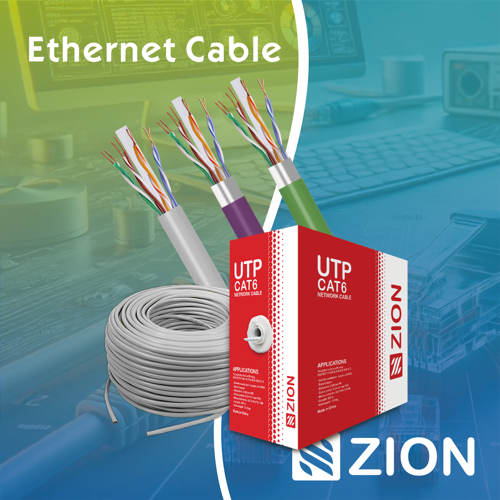 Ethernet Cable
 Coaxial Cable
 Fire & Security Cable
 Voice, Audio & Video
 Power & Control Cable