Quick Answer: Which Control Cable Fits a Conveyor System?
Begin by dividing the conveyor into route zones and classifying each circuit. YY may be a starting point for protected general-control wiring, CY may be considered for sensitive circuits where copper screening is required, and SY may be considered where the exact construction provides the required mechanical protection. Long 24 V DC circuits also need a voltage-drop check, while moving take-ups, shuttles, or cable carriers require verified dynamic performance.
The correct specification combines the cable construction with the installation method. Motor interference, exposed trays, abrasion, impact, oil, temperature, bend radius, movement, junction boxes, and maintenance access can change the choice from one conveyor section to the next.
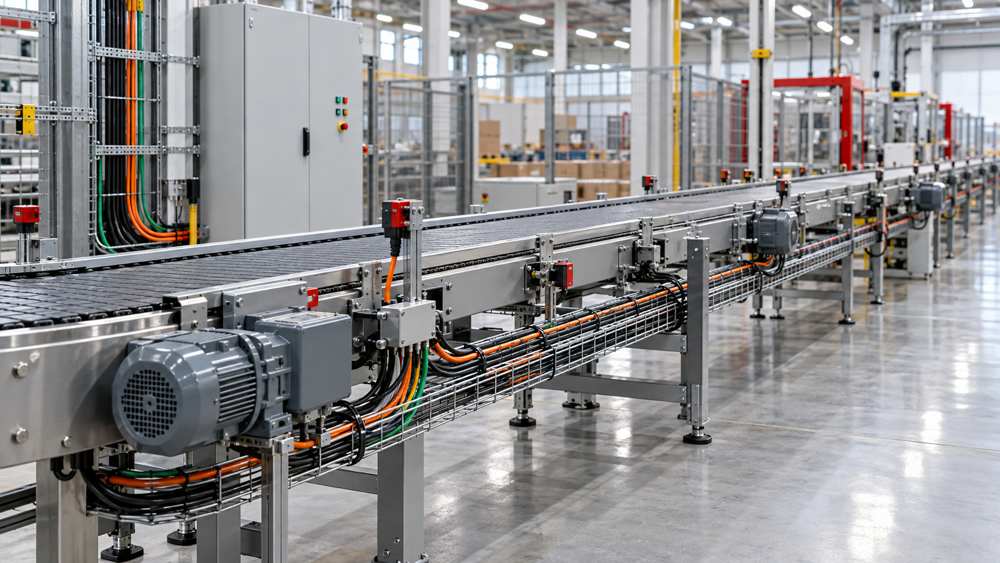
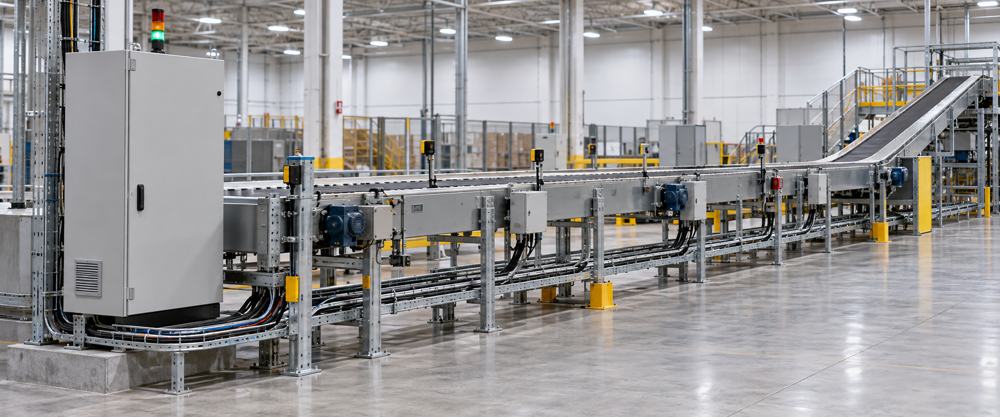
Map the Conveyor Architecture and Cable Route Zones
Record the main control panel, remote I/O stations, motor starters or drives, emergency stops, pull-cord switches, sensors, diverters, solenoids, local operator stations, junction boxes, and moving equipment. A long conveyor rarely presents one uniform cable environment.
| Route zone | Typical concerns | Selection action |
|---|---|---|
| Main panel and cabinet | Dense wiring, drives, power devices, termination space, heat. | Confirm segregation, bend space, screen termination, voltage, and temperature. |
| Long fixed tray | Voltage drop, junctions, tray fill, local motor routes, maintenance access. | Calculate the complete circuit and divide the route by local exposure. |
| Exposed drop | Abrasion, sharp edges, impact, vibration, strain, accidental contact. | Coordinate jacket, mechanical protection, support, and entry hardware. |
| Sensor or actuator branch | Interface, conductor count, connector, local interference, maintenance replacement. | Match the device interface and use serviceable branch lengths and terminations. |
| Moving section | Repeated bending, travel, torsion, acceleration, cable-carrier conditions. | Use an exact cable with documented dynamic performance for the motion profile. |
Separate Electrical Interference From Mechanical Damage Risk
Motors, contactors, braking circuits, and drive conductors create an EMC concern. Open trays, exposed drops, sharp edges, vibration, material impact, cleaning activity, and maintenance traffic create mechanical concerns. These risks can occur together, but they are not solved by the same cable feature.
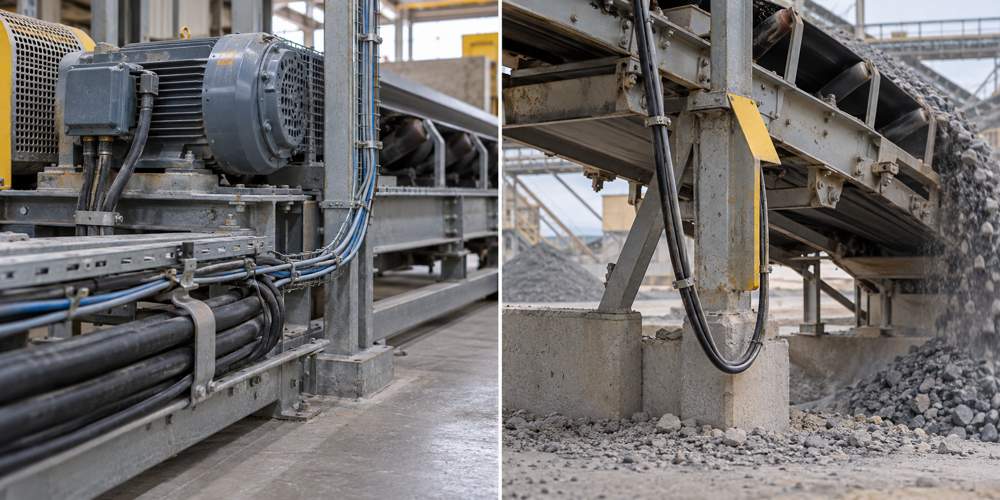
Review signal sensitivity, parallel exposure, routing, pair construction, copper screening, screen termination, and cabinet bonding.
Review abrasion, impact, crushing, vibration, support, edge protection, gland strain relief, and whether an armored or protected installation is required.
A copper-screened CY-type construction and a steel-braided SY-type construction address different priorities. Select the screen or braid only after defining the dominant risk and verifying the exact cable data.
Review Voltage Drop and Long-Run Electrical Performance
For a remote 24 V DC sensor, solenoid, relay, or I/O load, calculate the voltage available at the device under normal and worst-case conditions. Use the complete outgoing-and-return path rather than the one-way conveyor length. Also consider supply tolerance, inrush or simultaneous loading, conductor temperature, terminals, junction boxes, protective-device operation, and the device's minimum operating voltage.
Illustrative check: a two-wire 24 V DC circuit with a 0.5 A load, 50 m one-way length, and 18 Ω/km resistance per conductor has a 100 m total conductor path. Estimated path resistance is 18 Ω/km × 0.1 km = 1.8 Ω; voltage drop is 0.5 A × 1.8 Ω = 0.9 V; the calculated load voltage is approximately 23.1 V before other supply and termination losses.
| Review item | Why it changes the result | Procurement implication |
|---|---|---|
| Supply tolerance | The lowest source voltage may already be below nominal 24 V. | Use the minimum source voltage in the acceptance calculation. |
| Inrush and simultaneous loads | Peak current can exceed the steady-state nameplate current. | Confirm worst-case load combinations and operating sequence. |
| Conductor temperature | Resistance rises as copper warms. | Use the applicable resistance value for the operating condition. |
| Junctions and terminations | Every connection can add resistance and another maintenance point. | Include remote boxes, connectors, and terminal blocks in the route review. |
| Protective device | End-of-line fault current must still support the protection design. | Coordinate conductor size with protection and project requirements. |
Match YY, CY, SY, and Sensor Cable to the Route
For initial sourcing, ZION's flex control cable category and flex control and data cable range include LiYY, LiYCY, LiYY TP, LiYCY TP, YY, CY, and SY families. Use these family names to create a shortlist, then check the exact model and size against the circuit schedule.
| Initial family direction | Potential conveyor use | Verify before selection |
|---|---|---|
| YY / LiYY | Protected fixed general-control wiring where screening is not required. | Voltage, cores, conductor size, jacket exposure, route protection, and movement. |
| CY / LiYCY | Sensitive control or data circuits where an overall copper screen is required. | Screen construction, coverage, termination, pairing, route, and interface needs. |
| LiYY TP / LiYCY TP | Circuits that require twisted pairs, with an overall screen when specified. | Pair assignment, electrical characteristics, screen, and connected-device instructions. |
| SY | Routes where the exact steel-braided construction provides required mechanical protection. | The braid's function, environmental suitability, bend limits, glands, and project acceptance. |
| Sensor and actuator cable | Machine-side device branches, connectorized sensors, and local actuator connections. | Interface, connector, pin assignment, jacket, flex, length, and environment. |
For connectorized or machine-side branches, review ZION's sensor and actuator cables alongside the general control-cable options.
A Six-Step Conveyor Cable Selection Workflow
A route-based workflow prevents one severe local condition from driving an unnecessarily heavy cable specification across the entire conveyor—and prevents a protected section from masking an exposed or moving section.

- Divide the conveyor into route zones. Mark cabinets, long trays, motor areas, exposed drops, washdown or dusty sections, moving equipment, and maintenance crossings.
- Classify every circuit. Separate power, motor output, digital control, analog signals, sensors, actuators, safety devices, feedback, and communication circuits.
- Check long-run electrical performance. Calculate voltage drop, confirm device voltage, review protection, and note every junction or connector.
- Map EMI and mechanical hazards. Record parallel routes near motors or drives, impact points, sharp edges, vibration, abrasion, oil, heat, moisture, and cleaning exposure.
- Select cable and installation protection together. Coordinate conductor, pair, screen, jacket, braid, conduit, tray, glands, supports, and strain relief.
- Document service requirements. Record junction points, spare cores, replaceable branch lengths, labels, test records, and maintenance access.
Installation, Movement, and Maintenance Considerations
Conveyor reliability depends on routing and support as much as cable selection. Keep control and signal routes separated from power circuits where required by the equipment and project design. Protect entries and drops from sharp edges, provide suitable strain relief, respect bend limits, and avoid unsupported spans that can move with vibration.
Moving take-ups, shuttles, stacker-reclaimers, transfer sections, or cable carriers need an explicit motion profile. Confirm travel, bend radius, cycle rate, speed, acceleration, torsion, installation orientation, and environmental exposure against the exact cable documentation. A cable described as flexible for installation is not automatically designed for continuous movement.
Maintenance planning also affects the BOM. Accessible junction points, practical replacement lengths, spare conductors where justified, clear circuit identification, and documented test points can reduce fault-finding time without overspecifying every route.
Common Conveyor Control Cable Selection Mistakes
- Specifying the entire conveyor from the most severe local condition instead of dividing it into zones.
- Using one-way distance in a two-wire voltage-drop calculation.
- Ignoring supply tolerance, inrush, conductor temperature, junctions, or the remote device's minimum voltage.
- Using SY where copper-screened signal performance is the actual requirement.
- Selecting CY without defining screen termination, bonding, and cable routing.
- Placing ordinary flexible cable on repeated-motion equipment without model-specific dynamic evidence.
- Choosing a jacket without checking oil, coolant, moisture, chemicals, abrasion, sunlight, or cleaning exposure.
- Finalizing the cable BOM before junction points, spare cores, connectors, and maintenance access are agreed.
Information Needed for a Conveyor Cable RFQ
A complete technical schedule allows the supplier to evaluate each route rather than recommending one general cable for the entire machine. Include these fields:
| RFQ field | Information to provide | Selection purpose |
|---|---|---|
| Application and architecture | Conveyor type, main panel, remote I/O, motors, drives, sensors, actuators, safety devices, and route drawing. | Defines the system zones and circuit functions. |
| Electrical data | Rated voltage, operating and inrush current, source tolerance, route length, cores or pairs, conductor size, and device minimum voltage. | Supports conductor and long-run performance review. |
| EMC requirements | Signal type, motor or drive proximity, parallel exposure, required screen, termination, bonding, and equipment instructions. | Connects cable screening with the complete EMC design. |
| Mechanical duty | Fixed or moving installation, vibration, abrasion, impact, bend radius, travel, cycle rate, torsion, and support method. | Distinguishes fixed flexible cable from mechanically protected or dynamic cable. |
| Environment | Temperature, oil, coolant, water, chemicals, sunlight, dust, cleaning, and flame-performance requirements. | Determines jacket and installation compatibility. |
| Termination and delivery | Glands, connectors, terminal capacity, junction boxes, quantity, destination, standards, tests, documents, and existing cable reference. | Supports model-level review, BOM preparation, and quotation. |
Use ZION's control cable category to compare relevant families, then verify the selected model and size against the completed route and circuit schedule.
Frequently Asked Questions
Is a larger conductor needed for a long conveyor?
Often, but calculate the complete circuit before selecting the conductor. Load current, acceptable voltage drop, supply tolerance, inrush, protective-device operation, terminal capacity, and conductor temperature can all affect the decision.
Should conveyor sensors use shielded cable?
It depends on the sensor signal, route, equipment instructions, local interference, and termination design. Shielding is not automatically required for every conveyor sensor.
What is the difference between CY and SY for conveyor wiring?
CY is commonly considered where copper screening is needed for EMC control, while SY may be considered where the exact construction provides suitable mechanical protection. The two constructions address different risks and are not direct substitutes.
Can ordinary flexible cable be used on moving conveyor equipment?
Only when the exact cable documentation supports the movement, bend radius, cycle rate, travel, torsion, and environmental conditions. General flexibility does not by itself establish continuous-flex or drag-chain suitability.



 Fiber Optic Cable
 Fiber Optic Tools
 Ethernet Cable
 Coaxial Cable
 Fire & Security Cable
 Voice, Audio & Video
 Power & Control Cable