1. Read the AP uplink and power specifications
Wi-Fi 7 describes a wireless technology, not a universal copper-cabling requirement. Cisco’s Wireless 9171 has a 2.5G Ethernet uplink, whereas the 9178 offers dual uplinks supporting up to 10G. These examples demonstrate why one cabling prescription cannot fit every Wi-Fi 7 AP. The combined radio PHY rate is also not a promise of sustained Ethernet throughput.
Record the exact AP model, firmware, supported wired rates, required operating mode, PoE standard and power class. Check the switch and any injector separately: an injector can provide enough power while limiting the data rate. Where an AP has two Ethernet ports, confirm whether the design uses redundancy, aggregation or a single connection; two sockets do not automatically mean twice the usable bandwidth.
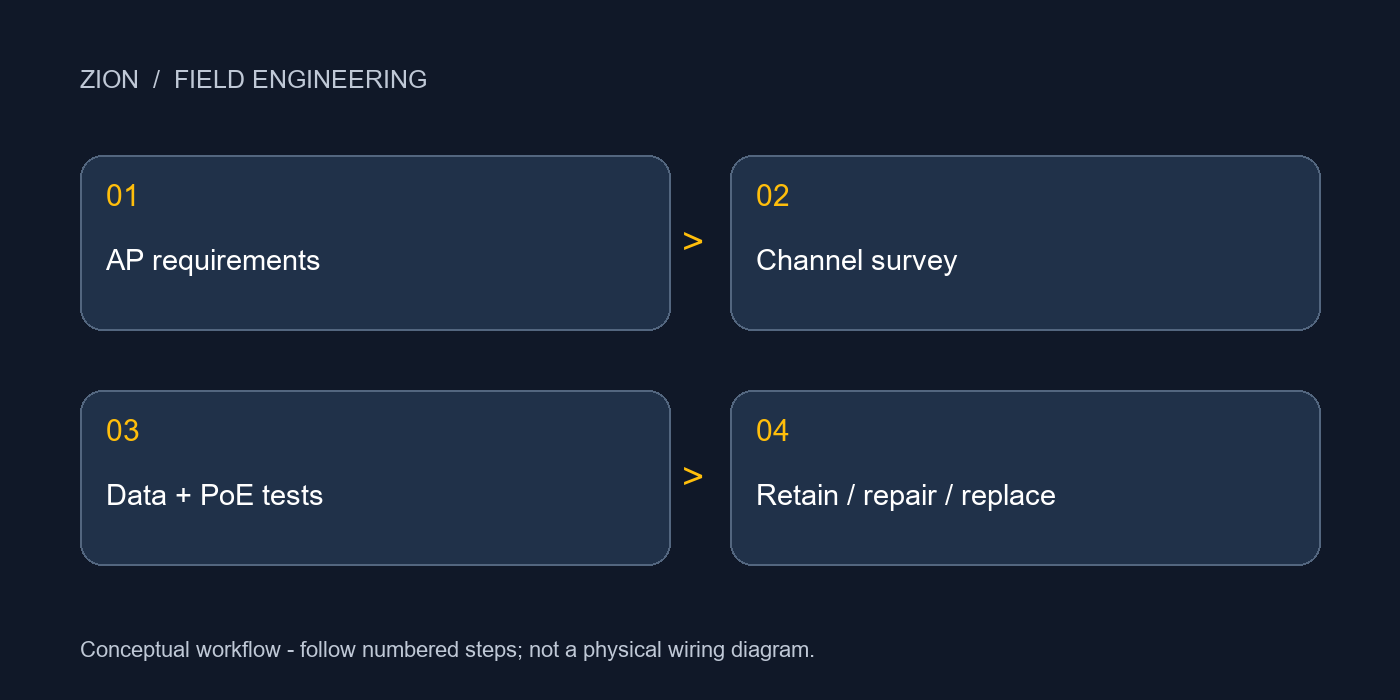
2. Evaluate the complete channel
Inventory both patch cords, patch-panel connections, consolidation points, horizontal cable and the AP termination. A Cat6 jacket marking identifies only one component. Include every cord in the route length and assess the installed construction, temperature and connection count. Conventional structured cabling commonly uses a 90 m permanent link within a 100 m channel; special cord constructions and elevated temperatures can require a shorter design.
For 1G, 2.5G and 5G, a compliant Cat6 channel is a practical reuse candidate up to the applicable 100 m channel limit. A 10G requirement needs a different decision: Cat6 support is distance- and alien-crosstalk-dependent, often described as up to 55 m under suitable conditions. That is not a guarantee for every installed 55 m bundle. For planned 100 m 10G channels, use Cat6A and validate the complete installation.
3. Approve PoE independently of data speed
A working Ethernet link does not prove that the AP receives sufficient power. Check per-port capability, the shared switch power budget and the allocation available when all devices are active. Match the specified PoE protocol as well as wattage. Some devices start in a reduced-power mode with radios or accessories disabled, so successful booting is not full-function acceptance.
Inspect conductor material, termination consistency, bundle size and ceiling temperature. Include DC loop resistance and resistance unbalance within and between pairs in the agreed test plan. Use the correct test limits for the selected permanent-link or channel configuration; do not apply one resistance threshold to every topology. Any discoloration, loose contact or corrosion requires corrective work before the link is approved.
4. Test before deciding to retain or replace
Start with existing certification records and port labels, then inspect the actual route. Certify wire map, length and the transmission parameters required by the chosen test limit, including insertion loss, return loss and crosstalk. For an installed Cat6 route proposed for 10G, add the applicable application qualification and alien-crosstalk assessment. A continuity tester or an Internet speed test cannot replace this work.
Reconnect the AP and verify negotiated speed, interface error counters, allocated power and operating mode. Exercise representative client traffic while other PoE loads are active. Compare wired and wireless observations: low wireless throughput can come from channel conditions, client capability or upstream congestion even when the cable passes. Keep the individual test results and the acceptance conditions with each AP outlet record.
5. Turn the evidence into a selective upgrade
Retain the channel when data certification, power delivery and operational testing all meet the approved requirement. Repair and retest when the weakness is an accessible patch cord or termination. Replace the horizontal link when its construction, condition or required reach cannot support the target application. This separates a necessary upgrade from a blanket replacement based only on the Wi-Fi generation.
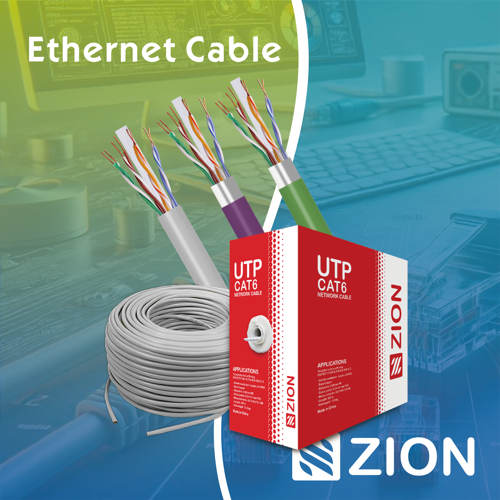
For replacement routes, compare ZION U/UTP Cat6A cable options against the environment, jacket requirement and installation design. For direct AP termination, review the ZC-603SU-C6A field termination plug and confirm conductor type, wire gauge, insulation diameter and cable diameter against its current datasheet. A new Cat6A plug does not upgrade an existing Cat6 channel to Cat6A. Use the patch-panel and cable-management range to plan accessible, labelled connections.
For a project review, provide the AP and switch models, target speed, route and cord lengths, PoE operating mode, test reports, environmental conditions and outlet quantities. Request component compatibility and project documentation for the selected assembly, rather than ordering from the category name alone.
Technical References
Frequently Asked Questions
Does Wi-Fi 7 always require Cat6A?
No. Evaluate the AP’s actual wired interface, intended performance and power needs. Cat6A is a strong choice for new 10G infrastructure, but tested existing Cat6 can remain suitable for a defined application.
Does a negotiated 5G link prove the cable is acceptable?
No. Link negotiation is one observation. Retention also requires the agreed cabling tests, PoE checks and operational acceptance.
Prepare Your Project Information
Provide equipment models, channel layout, site conditions and test records to identify suitable cabling components.



 Fiber Optic Cable
 Fiber Optic Tools
 Ethernet Cable
 Coaxial Cable
 Fire & Security Cable
 Voice, Audio & Video
 Power & Control Cable