1. Define the scope and the design authority
Identify the services to be protected, the two endpoints and the failure scenarios the design is intended to tolerate. A review between two patch panels has a narrower scope than a review between application systems in separate buildings. State the boundary before describing a route as diverse.
Name the engineering owner who approves the network design and the party that controls each route segment. Record carrier, landlord or campus-managed sections as separate responsibilities. Cable routing alone cannot establish application failover, independent power or the availability of the complete service.
2. Draw both complete installed paths
Trace path A and path B through equipment ports, patch cords, adapter positions, backbone cables, pathways and the far-end terminations. Use actual room, rack, tray, duct and chamber references. A straight line between two buildings on a network diagram does not describe the cable route through them.
Compare approved drawings with accessible field evidence and as-built records. Mark concealed or third-party sections as unverified until evidence is available. FOA documentation guidance includes cable paths, lengths, terminations and measured losses; these records provide a useful basis for the review, rather than a substitute for checking current conditions.
3. Mark shared locations and common exposures
Look for separate cables that share an entrance sleeve, duct bank, chamber, riser, tray support, rack or patching area. Different ducts in one trench may still be exposed to one excavation event. Separate trays in one room may still share a water leak or a maintenance work area.
Use the checklist to identify exposures, not to assign a universal minimum separation distance or a resilience certification. Record the hazard, evidence and proposed treatment, then obtain a design decision. The correct treatment depends on the failure scenario and the facility requirements.
| Location | A/B evidence to compare | Question for review |
|---|---|---|
| Building entrance | Sleeves, entry rooms and external approach | Can one event affect both entries? |
| Underground section | Duct, trench and chamber references | Are apparently separate ducts in one excavation zone? |
| Internal pathway | Tray, riser and support locations | Do both routes share a support or work area? |
| Termination area | Rack, panel and adapter positions | Can one maintenance action interrupt both? |

4. Check the material configuration of each path
Record fiber type, fiber count, connector and polish type, polarity where relevant, assembly length and the exact patching components for each path. The names A and B do not prove identical specifications. One route may be longer or require different entry hardware.
Compare each component with the approved device and cabling design. Keep route-specific part numbers even where quantities appear equal. Use ZION’s broader data-center cabling checklist for related selection questions, while retaining separate route identities in this review.
5. Review optical and application conditions independently
For each path, verify the actual length, fiber specification, number and type of connections and splices, and the optical interface requirements. Compare the design loss allowance and measured acceptance results with the selected equipment requirements. A passing result for path A is not evidence that path B passes.
Keep optical acceptance separate from service failover testing. Engineering should define the permitted test procedure, operating window and acceptance criteria. An optical test can assess the tested fiber link; it cannot demonstrate that two fibers occupy different physical routes.
6. Assess maintenance and change impact
Ask whether one panel replacement, cabinet move, tray alteration or contractor work permit could expose both paths. Check label visibility and the ability to identify the correct connection before any patching action. Record who coordinates work across shared rooms and third-party sections.
Track temporary route changes as well as permanent ones. A temporary jumper placed alongside the other path can change the shared-risk picture. Update drawings and the risk register after approved changes, and review the return to the intended arrangement when temporary work ends.
7. Issue two traceable BOMs and an exception list
Prepare separate A and B bills of materials linked to route drawings, cable IDs, endpoint labels and test records. Identify any shared items explicitly rather than hiding them inside a combined quantity. Include length definitions, interface details and the required delivery documents in the RFQ.
Close the review with the engineer’s decision on each shared point: accepted with a reason, redesign required or awaiting evidence. Purchasing can then order against an approved configuration. The checklist documents a decision process; it does not by itself guarantee uninterrupted service.
Frequently asked questions
Do two providers prove physical route diversity?
No. Request route evidence within the agreed review boundary; different services can share physical infrastructure.
Does a shared location automatically invalidate the design?
No. Record the failure exposure and let the responsible engineer assess it against the service requirements and approved design criteria.
Can optical tests prove route separation?
No. Optical tests and physical-route evidence answer different questions and should both be retained.
Prepare Your Project Requirements
Share route or connection records, required specifications, quantities and documentation needs to support product and order review.



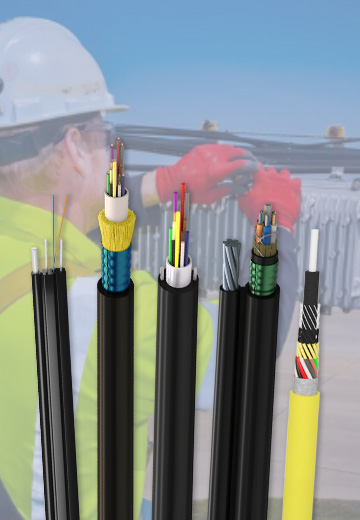 Fiber Optic Cable
 Fiber Optic Tools
 Ethernet Cable
 Coaxial Cable
 Fire & Security Cable
 Voice, Audio & Video
 Power & Control Cable