
1. Primary and Redundant Routes
For mission-critical sites, the first checklist item is route separation. Primary and redundant fiber or copper paths should not share the same single point of failure.
- Are A-route and B-route pathways physically separated?
- Are meet-me rooms, telecom rooms, and rack entry points clearly mapped?
- Are diverse entry points available where required?
- Are redundant routes protected from common fire, water, construction, and access risks?
- Are route drawings updated after each project phase?
A redundant network is only useful if the physical cabling route is genuinely independent. Shared trays, shared sleeves, or undocumented crossovers can quietly reduce resilience.

2. OS2 and High-Density Optical Connectivity
OS2 single-mode fiber is commonly used for long-distance, high-bandwidth data center and campus links. Single-mode fiber commonly operates around 1310 nm and 1550 nm windows, making it suitable for backbone, DCI, and high-speed optical transmission planning. See ZION's OS2 vs OM3 vs OM4 vs OM5 fiber selection guide for additional background.
- Is OS2 used where long reach, future bandwidth, or DCI expansion is expected?
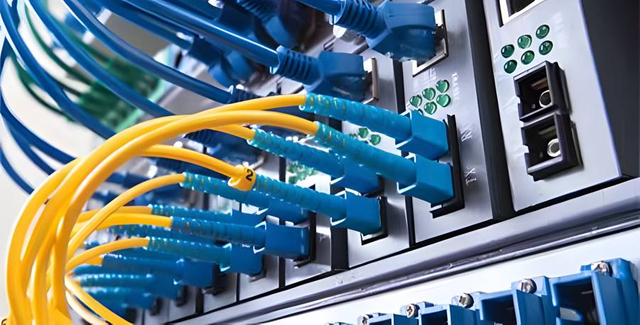
- Are high-density panels selected with clear port numbering?
- Are bend radius, cable tray fill, and patching space checked before installation?
- Are LC, MPO/MTP, cassette, and trunk configurations documented?
- Is the link budget calculated before procurement?
For hyperscale, colocation, cloud, and AI-ready facilities, density is not only about saving rack space. It also affects airflow, maintenance access, and future moves, adds, and changes.
3. MPO/MTP Configuration
MPO/MTP systems can reduce installation time and support high-density fiber deployment, but polarity errors can cause serious commissioning delays. Polarity methods such as Method A, Method B, and Method C must match the cassette, trunk, adapter, and transceiver design. ZION's MPO polarity guide for Type A, Type B and Type C provides a useful configuration overview.
- Is the project using Method A, B, C, or a universal polarity design?
- Are male/female connector genders confirmed?
- Are key-up/key-down adapter types documented?
- Are 8-fiber, 12-fiber, 16-fiber, or 24-fiber MPO requirements confirmed?
- Are breakout modules and transceiver types matched before ordering?
- Is every MPO trunk tested and labeled before site delivery?
MPO/MTP mistakes are expensive because the physical cable may look correct while the optical path is wrong.
4. CAT6A Structured Cabling
CAT6A remains important for data center management networks, security systems, wireless access points, office support areas, and copper-based equipment connections. ANSI/TIA-568.2-D covers balanced twisted-pair cabling and components, including Category 6A systems. ZION's Cat6e vs Cat6a Ethernet cable selection guide provides a practical buyer-side view for 10GbE, PoE, and standards-based CAT6A planning.
- Is CAT6A specified for 10GBASE-T or high-performance copper links?
- Are shielded or unshielded designs selected according to grounding and EMI conditions?
- Are patch panels, keystone jacks, patch cords, and cable from compatible performance categories?
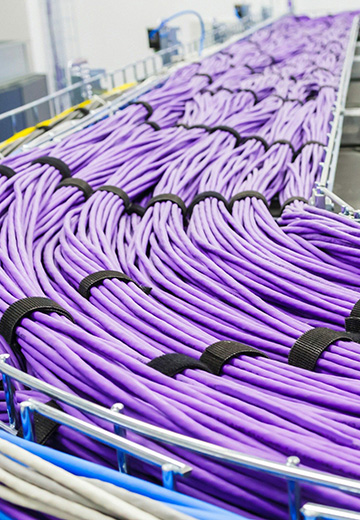
- Is alien crosstalk risk considered in dense bundles?
- Are horizontal runs kept within allowed channel design limits?
- Are copper links certified after installation?
In mission-critical rooms, copper cabling should be treated with the same discipline as fiber: planned, labeled, tested, and documented.
Confirm OS2 fiber count, wavelength plan, link budget, MPO/MTP polarity, panel density, route separation, and test limits.
Confirm CAT6A channel design, grounding approach, bundle density, patching layout, certification standard, and label logic.
Plan tray fill, bend radius, rack entry, front/rear maintenance access, and replacement path before installation begins.
Reserve pathway, port, labeling, and spare capacity without hiding unused or undocumented connections in live rooms.
5. Rack, Room, and Project-Phase Labeling
Poor labeling turns every maintenance window into a risk. TIA-606-C provides administration guidance for telecommunications infrastructure labeling and documentation. ZION's structured cabling systems guide gives a practical view of copper and fiber design rules, documentation discipline, and scalable network planning.
- Does each cable label include room, rack, panel, port, and destination?
- Are A-route and B-route labels visually distinguishable?
- Are project phases marked, such as Phase 1, Phase 2, expansion, or migration?
- Are temporary labels replaced before handover?
- Do labels match drawings, test reports, and delivery records?
- Are labels durable enough for data center airflow, handling, and long-term maintenance?
| Label field | Example | Why it matters |
|---|---|---|
| Room | MMR-01 / ER-02 / DataHall-A | Identifies the physical room or hall for access and troubleshooting. |
| Rack | R12 / CAB-08 | Connects the cable to a rack position and maintenance zone. |
| Panel | FPP-01 / CPP-02 | Separates fiber patch panels, copper patch panels, and cross-connect points. |
| Port | 01-24 | Supports precise patching, testing, and moves/adds/changes. |
| Route | A / B | Shows whether the cable belongs to the primary or redundant route. |
| Phase | P1 / P2 / Expansion | Keeps staged installation and commissioning records aligned. |
| Cable ID | OS2-TRK-A-001 / C6A-HZ-088 | Creates a unique identifier for drawings, tests, delivery records, and spares. |
6. Batch Traceability
Batch traceability helps data center operators manage quality, warranty, replacement, and failure analysis.
- Are cable drum numbers recorded?
- Are fiber count, cable type, jacket rating, and length recorded?
- Are patch cords and trunks linked to production batch or lot number?
- Are test reports connected to batch records?
- Are delivery documents matched with installed locations?
- Are spare products from the same or compatible batch reserved where needed?
For large projects, traceability should connect procurement, factory testing, delivery, installation, site testing, and final handover.
7. Test Documents
Cable certification gives project owners proof that installed links meet the required category, class, or optical performance. Certification tools are used to test copper and fiber links and generate project reports. ZION's Cat6A permanent link vs channel test guide explains buyer-side acceptance logic for CAT6A testing and field handover.
- Are copper links tested with the correct CAT6A standard settings?
- Are fiber links tested for insertion loss?
- Is OTDR testing required for backbone or long-distance routes?
- Are polarity and continuity checked for MPO/MTP systems?
- Are test limits, tester model, calibration date, operator, and date recorded?
- Are failed links repaired and retested before handover?
- Are PDF and editable test records delivered to the customer?

| Document | Purpose | Recommended handover note |
|---|---|---|
| Factory test report | Confirms product condition before delivery | Link the report to batch or lot records. |
| Site test report | Confirms installed link performance | Match every result to room, rack, panel, and port. |
| OTDR trace | Supports fiber route and event verification | Deliver PDF plus native instrument files where required. |
| Copper certification report | Confirms CAT6A channel or permanent link compliance | Record tester model, calibration status, limits, operator, and date. |
| Label schedule | Connects cable IDs to physical locations | Keep label schedule, drawings, and tests synchronized. |
| As-built drawing | Records final installed route and connection | Update after each project phase, migration, or route change. |
| Delivery record | Connects batch, shipment, and site receipt | Include receiving party, date, quantity, condition, and storage location. |
8. Access-Control and Delivery Records
Cabling security is not only technical. In mission-critical sites, the handling chain matters.
- Who received the cable drums, trunks, panels, and patch cords?
- Were cartons sealed and inspected at arrival?
- Were high-value optical trunks stored in controlled areas?
- Were installers and subcontractors authorized for each room?
- Were delivery dates, batch numbers, and quantities signed off?
- Were missing, damaged, or replaced items recorded?
- Were access logs aligned with installation dates?
A secure cabling project should show who handled the material, where it was stored, where it was installed, and who approved the work.
9. Replacement and Spare Planning
Spare planning protects uptime after commissioning. Without compatible spares, even a small damage event can become a long outage.
- Are spare OS2 patch cords, MPO/MTP trunks, cassettes, adapters, and CAT6A patch cords reserved?
- Are spare lengths and connector types matched to the installed system?
- Are A/B route spare components separately stored?
- Are critical links assigned replacement priority?
- Are obsolete or custom items identified early?
- Is there a reorder plan for future expansion phases?
| Spare type | Recommended planning logic | Procurement detail to confirm |
|---|---|---|
| OS2 patch cords | Keep common lengths and connector types | Fiber grade, jacket color, connector polish, length, and packaging. |
| MPO/MTP trunks | Reserve project-specific polarity and gender | Method A/B/C, fiber count, male/female, key orientation, and length. |
| Fiber cassettes | Match fiber count and polarity method | Cassette type, adapter format, cassette labeling, and panel compatibility. |
| CAT6A patch cords | Keep management, server, and security lengths | Shielding type, color policy, boot design, and length categories. |
| Adapters and couplers | Match panel and cassette design | Connector type, color, keying, sleeve material, and dust protection. |
| Labels | Keep the same format for future expansion | Material, print method, adhesive, naming convention, and phase markers. |
Final Checklist Before Handover
Before handover, verify the following controls as one package rather than isolated sign-offs.
- Route separation is documented.
- OS2 and high-density optical links match the network plan.
- MPO/MTP polarity, gender, and fiber count are confirmed.
- CAT6A links are certified.
- Rack, room, port, and phase labels are complete.
- Batch traceability is linked to installed locations.
- Test reports are complete and readable.
- Delivery and access-control records are signed.
- Spare and replacement plans are approved.
Conclusion
Secure cabling in a mission-critical data center is a system of design, product selection, labeling, testing, traceability, and controlled handover. Fiber and copper products must be selected for performance, but they must also be managed for operational continuity.
A strong checklist helps data center teams reduce installation risk, speed up commissioning, and protect uptime during future maintenance and expansion.
FAQ
Why is route separation important in mission-critical data centers?
Primary and redundant cabling paths should avoid shared single points of failure. Physical route separation helps protect uptime when fire, water, construction, access, or pathway damage affects one route.
What should be checked before ordering MPO/MTP trunks?
Confirm polarity method, connector gender, key orientation, fiber count, cassette design, breakout module, transceiver type, factory testing, and labeling before procurement.
Which documents should be included in a cabling handover package?
A strong package includes factory test reports, site test reports, OTDR traces, copper certification reports, label schedules, as-built drawings, delivery records, batch records, and spare-part plans.
Why does batch traceability matter for data center cabling?
Batch traceability connects procurement, production, delivery, installation, testing, warranty, replacement, and failure analysis so operators can control quality and maintain compatible spares.
Reference URLs
The following resources provide background on data center infrastructure, labeling, cabling components, testing, and fiber configuration. Project-specific requirements should still be confirmed against the owner's standard, operator requirements, and local code.



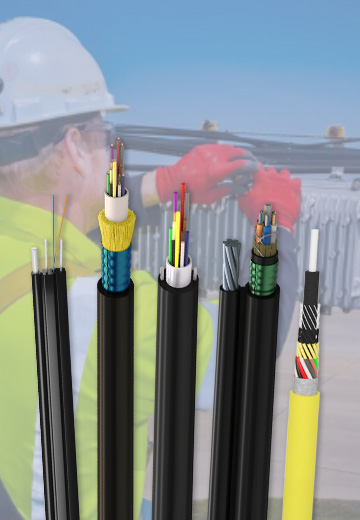 Fiber Optic Cable
 Fiber Optic Tools
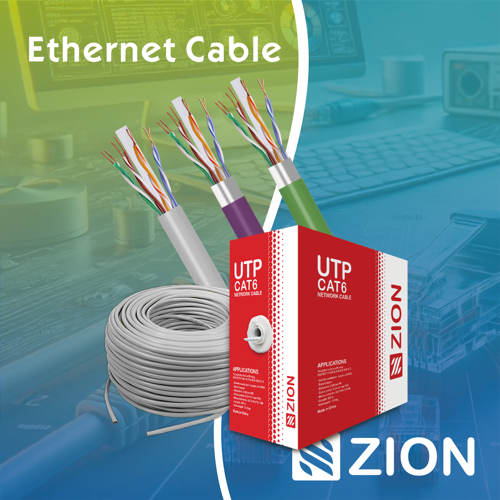 Ethernet Cable
 Coaxial Cable
 Fire & Security Cable
 Voice, Audio & Video
 Power & Control Cable