Connection tips of CAT5E CAT6 Wire Connector
Author: Elsie Publish Time: 24-07-2019 Origin: Site
Cat5e and Cat6 RJ45 Wiring: T568A, T568B and Crossover Cables Learn how to choose T568A or T568B, identify straight-through and crossover wiring, match plugs to Cat5e or Cat6 cable, and test the finished Ethernet connection. |
A reliable Ethernet termination depends on more than putting eight conductors into an RJ45 plug. The cable, connector, wiring scheme, termination method and test result all need to match. This guide explains T568A and T568B, shows when to use straight-through or crossover wiring, and provides a practical workflow for terminating Cat5e and Cat6 cable.
For most new installations, choose one recognized wiring scheme and use it consistently throughout the project. Also check the equipment manual before specifying a crossover cable: modern Ethernet ports commonly support Auto-MDI/MDIX and can correct the transmit and receive orientation automatically.
■What Do T568A and T568B Mean?
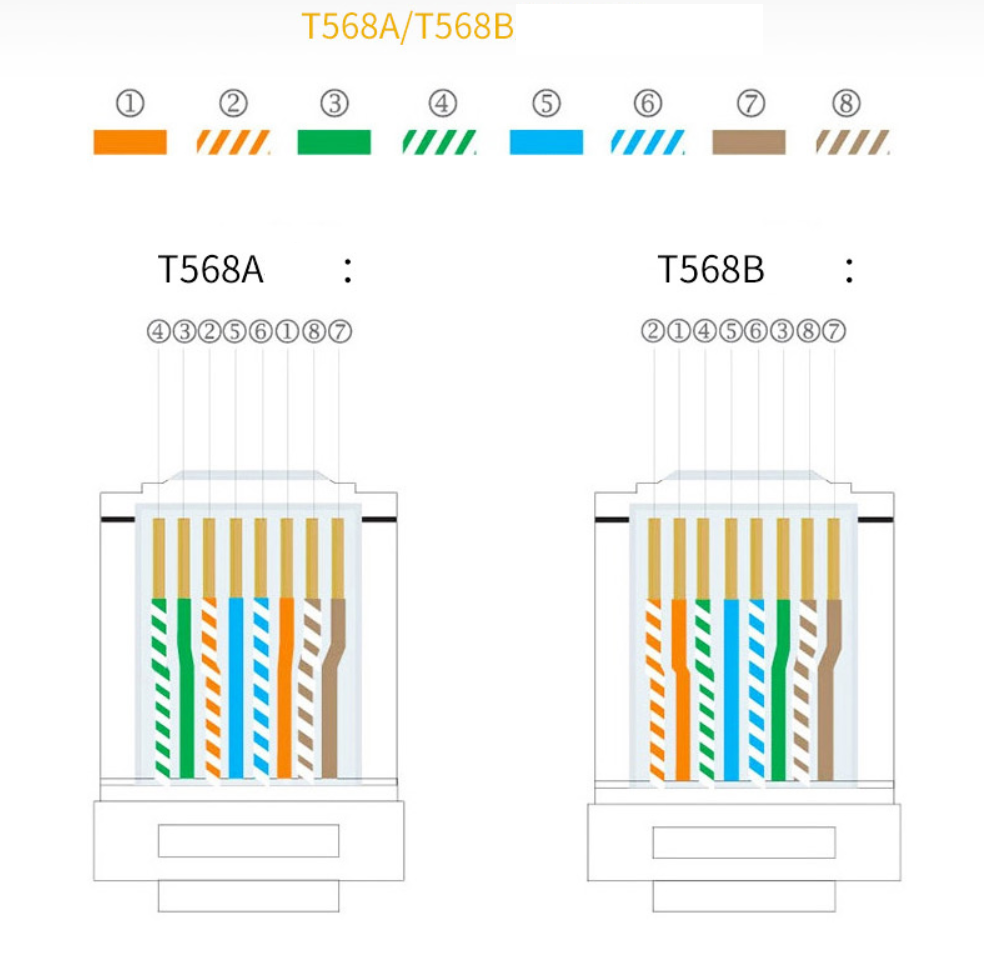
T568A and T568B are the two recognized pin assignments used to terminate four-pair balanced twisted-pair cable on eight-position modular connectors. Both use the same blue and brown pair positions. The difference is that the green and orange pairs exchange positions.
Read the pin order from pin 1 through pin 8 with the plug contacts facing you and the locking tab facing away. If you are terminating a jack instead of a plug, follow the color legend printed on that specific jack because the rear terminal layout varies by manufacturer.
| Pin | T568A | T568B |
| 1 | White/Green | White/Orange |
| 2 | Green | Orange |
| 3 | White/Orange | White/Green |
| 4 | Blue | Blue |
| 5 | White/Blue | White/Blue |
| 6 | Orange | Green |
| 7 | White/Brown | White/Brown |
| 8 | Brown | Brown |
| Important: A cable can pass simple pin-to-pin continuity while still containing a split pair. Always keep each color-striped conductor paired with its matching solid-color conductor and preserve the pair twist as close to the termination as practical. |
■Straight-Through vs. Crossover Ethernet Cables
Straight-through cable
A straight-through cable uses the same wiring scheme at both ends: T568A to T568A or T568B to T568B. This is the normal choice for patch cords and permanent links in current structured cabling systems. The selected scheme matters less than consistency, correct pair placement and compliance with the site specification.
Crossover cable
A conventional 10/100 Ethernet crossover cable uses T568A at one end and T568B at the other, exchanging the orange and green pair positions. It was traditionally used to connect similar 10BASE-T or 100BASE-TX devices when neither port could perform the crossover internally.
Do not rely only on a device-pairing chart. Gigabit Ethernet uses all four pairs, and the required behavior depends on the port capabilities. Check the product documentation whenever you are working with earlier switches, fixed-function industrial hardware, media converters or other equipment that may not support automatic pair correction.
■Do Modern Networks Still Need Crossover Cables?
Usually not. Auto-MDI/MDIX allows a compatible Ethernet port to detect the pair orientation and internally correct the transmit and receive paths. This means a standard straight-through patch cord can normally connect devices without the installer deciding which side must transmit on a particular pair.
A crossover cable can still be appropriate when the equipment documentation explicitly requires one, when Auto-MDI/MDIX is unavailable or disabled, or when maintaining equipment designed for fixed MDI or MDI-X behavior. If there is any doubt, confirm the interface speed, negotiation settings and port documentation before making the cable.
■How to Terminate a Cat5e or Cat6 RJ45 Plug
Confirm the cable and connector match. Check the category, conductor type (solid or stranded), conductor gauge, insulation diameter, overall cable diameter and shielding. A plug that physically accepts a cable is not automatically the correct electrical or mechanical match.
Choose T568A or T568B. Follow the project specification and use the same scheme at both ends unless a documented crossover is required.
Strip only the necessary jacket. Avoid nicking conductor insulation or cutting the drain wire on shielded cable.
Preserve pair twist. Untwist only enough conductor to arrange and insert the wires. Excessive untwist can reduce noise immunity and degrade crosstalk performance.
Arrange and trim the conductors. Place the colors in the selected order, flatten them without crossing, and trim the ends square.
Insert the conductors fully. Verify that every conductor reaches the front of the plug and that the cable jacket extends into the strain-relief area.
Crimp with the specified tool. Use a tool compatible with the connector design, especially for pass-through plugs, shielded plugs or connectors with a load bar.
Inspect and test both ends. Confirm pin order, full contact engagement, jacket retention and the expected wire map before placing the link into service.
| Connector selection tip: Standard, pass-through and field-termination plugs use different preparation methods. For Cat5e cable that matches the stated conductor and jacket-diameter range, review ZION's Cat5e UTP 8P8C pass-through RJ45 connector and follow its product-specific preparation requirements. |
■How to Match the Connector to Cat5e or Cat6 Cable
Category is only one part of compatibility. Cat6 conductors and insulation are often larger than Cat5e, and cable construction varies by manufacturer. Before ordering plugs, compare the connector's supported AWG range and conductor insulation diameter with the actual cable datasheet. Also confirm whether the plug is designed for solid, stranded or both conductor types.
Shielded cable requires a compatible shielded termination and a grounding strategy appropriate for the installation. Outdoor, industrial and high-flex cables may need different connector bodies or boots. For an unshielded Cat6 assembly, compare the actual cable construction with the supported range of ZION's Cat6 UTP 8P8C RJ45 connector before ordering.
For larger conductors, shielded cable or field installation where a crimp plug is unsuitable, a matched field-termination plug may be easier to assemble and inspect. Always follow the connector's own installation instructions; do not transfer strip lengths or conductor preparation steps from another product.
When field termination is unnecessary, a factory-assembled Cat6 U/UTP RJ45 patch cord can simplify procurement and reduce installation variability; confirm the required length, conductor gauge, jacket and channel conditions against the product data.
■Common RJ45 Termination Mistakes
Accidentally mixing T568A and T568B: this creates a crossover cable when a straight-through cable was intended.
Creating split pairs: the pin sequence may look continuous, but the paired conductors are no longer kept together.
Untwisting too much cable: excessive untwist can increase crosstalk near the connector.
Leaving the jacket outside the plug: the conductors, rather than the cable jacket, then carry pulling and bending stress.
Using the wrong plug or crimp tool: contacts may not penetrate correctly, or the plug body may be damaged.
Skipping the final test: visual inspection alone cannot confirm the complete wire map or transmission performance.
■Testing the Finished Cable
A basic wire-map tester can detect opens, shorts, reversals, crossed conductors and many split-pair faults. It is useful for checking a hand-terminated patch cord, but continuity alone does not prove that an installed link meets its category performance.
For a warranted or standards-based structured cabling installation, use the test method required by the project. A suitable field tester may evaluate parameters such as insertion loss, near-end crosstalk and return loss against the selected link or channel limit. Save the results with the cable identifier so future troubleshooting starts with a known baseline.
■Frequently Asked Questions
Is T568A faster than T568B?
No. When correctly terminated with compatible components, the two schemes do not create a speed difference. Consistency, pair integrity, component quality and installation workmanship are what matter.
Can I use a Cat5e RJ45 plug on Cat6 cable?
Do not assume compatibility. The Cat6 conductors or insulation may be too large, and a lower-category connector may prevent the finished assembly from meeting the intended performance. Match the plug specification to the exact cable construction.
Which wiring scheme should I use for a new cable?
Use the scheme required by the customer or site standard. If no scheme is specified, select either T568A or T568B and document it, then apply it consistently to both ends and throughout the installation.
Why does my cable pass continuity but perform poorly?
Possible causes include split pairs, excessive untwist, damaged conductors, incompatible plugs, poor contact termination or cable damage. Use a tester appropriate to the required performance level rather than relying on continuity alone.



 Fiber Optic Tools
Products 6 families
Solutions 6 markets
Resources Tools & docs
Certificate
Certification and compliance references for project review, qualification and purchasing documentation.

 Fiber Optic CableAccess and backbone
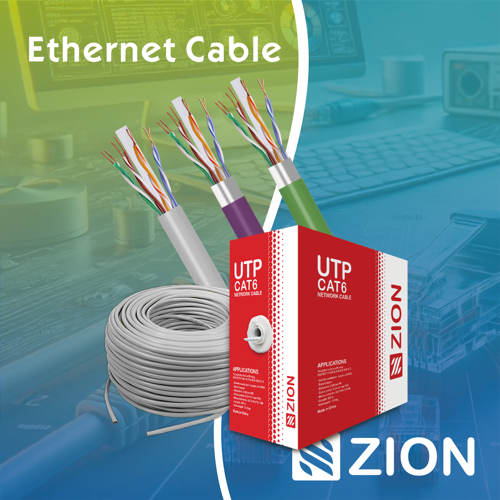 Ethernet CableCat5e to Cat8
 Coaxial CableRF and video signal
 Fire, Security & AlarmSafety systems
 Voice, Audio & VideoSignal cabling
 Power & Control CableEnergy and control
Fiber optic cable systems
Outdoor, indoor, FTTH and distribution cable lines for access networks, backbone routes and campus deployments.
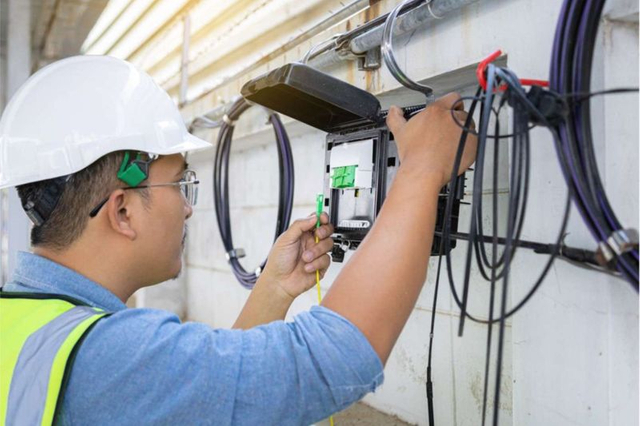 Telecom & ISP NetworksFTTH, PON, ODN
  Data Center InfrastructureServer room cabling
  Building Low-Voltage SystemsBMS, AV, weak current
  Security & Fire ProtectionAlarm, CCTV, access
  Industrial Automation CablePLC, RS485, fieldbus
  Energy & Power InfrastructureSolar, battery, power
 Telecom & ISP Networks
For FTTH / PON access, outdoor fiber deployment, aerial routes, duct routes, direct burial routes, rural broadband and ODN planning.
Tools
Use calculators and planning tools for conduit capacity, PoE voltage drop and fiber optic link loss budget work.