How to Running Ethernet Cables Outdoors
Author: Site Editor Publish Time: 27-08-2020 Origin: Site
How to Run Ethernet Cable Outdoors
Choose cable for the actual route, protect it from water and physical damage, control electrical risk, and test the complete link before the pathway is closed.
Running Ethernet cable outdoors is not simply an indoor cable pull moved outside. Sunlight, standing water, soil, temperature changes, mechanical damage, lightning exposure and differences in building grounding can all affect the link. A dependable installation starts by matching the cable construction and pathway to the environment, then verifying the finished channel for data and, when used, Power over Ethernet (PoE).
The short answer
Use cable explicitly rated for the intended outdoor condition. Outdoor-rated cable is not automatically approved for direct burial, and conduit does not make ordinary indoor cable suitable for a wet underground pathway. For links between separate buildings, evaluate fiber before choosing copper because fiber removes the conductive data path.
■Choose cable for the route, not only the category
Cat5e, Cat6 and Cat6A describe transmission performance, but the category does not prove that a cable can tolerate sunlight, water or direct contact with soil. Read the jacket marking and current datasheet for the exact product. Confirm the conductor material, jacket, temperature range, water-blocking construction, burial or aerial rating, shielding and PoE suitability required by the design.
Exposed wall, roof or pole route
Verify sunlight or UV resistance, outdoor temperature range, weather-resistant fittings and suitable support. Use drip loops and protected enclosure entries.
Underground conduit
Treat underground conduit as a wet location. Select cable approved for that environment and design the pathway for drainage, fill, pulling tension and future replacement.
Direct burial
Use a construction specifically identified for direct burial. Water-blocking, double jackets or armor may be needed according to soil moisture, stones, crush risk, rodents and the cost of replacement.
Aerial span
Use a self-supporting aerial cable or a cable installed with the correct messenger and lashing method. Ordinary Ethernet cable should not carry its own weight across a free span.
For underground projects, the ZION direct-burial outdoor Ethernet cable range groups duct, jelly-filled, armored and shielded constructions by route. For a general outdoor Cat6 duct route, NO.7112201 outdoor U/UTP Cat6 PE cable is one current construction to evaluate against the project specification. A product link is a selection aid; the exact cable marking and datasheet must still match the installation.

■Plan the pathway before pulling cable
Map the complete route from the switch or patch panel to the outdoor device. Identify property boundaries, underground utilities, power circuits, building entries, drainage points, equipment locations and areas exposed to traffic or landscaping. Confirm permits and applicable electrical, building and communications rules before excavation.
There is no universal burial depth or separation distance that is correct for every site. Depth depends on the pathway, cable type, location, voltage systems, vehicle loading, local code and utility requirements. Contact the local utility-location service before digging and have the route reviewed by a qualified installer where regulations or site risk require it.
Keep communications cabling separated from power conductors and strong electromagnetic sources according to the applicable rules.
Use long-radius bends and pulling points so the cable stays within its minimum bend radius and maximum pulling tension.
Seal building entries with a listed or approved system that fits the wall construction and environmental exposure.
Leave service loops only where they are protected, supported and permitted; do not create low points that collect water.
■Install outdoor Ethernet cable step by step
Confirm the specification. Match category, conductor, jacket, shielding, water resistance, burial or aerial construction, temperature range and PoE requirements to the route.
Inspect the reel and pathway. Check the jacket and cable ends for damage. Verify conduit continuity, drainage, pull boxes and bend radii before the pull starts.
Pull without damaging the cable. Use the manufacturer's pulling method and lubricant compatibility guidance. Do not kink, twist, crush or drag the jacket over sharp edges.
Support and weatherproof the route. Use suitable clamps, glands, enclosures and drip loops. Protect exposed cable from impact, abrasion and animals.
Terminate with matched components. Keep pair untwist to a minimum, preserve the required wiring scheme, and use connectors or jacks compatible with cable category, conductor size, shielding and environment.
Test before closing the pathway. Verify wire map and link performance before backfilling, sealing an enclosure or handing over the network.
■Use conduit as a pathway, not as a waterproof promise
Conduit can provide valuable mechanical protection and make replacement easier, but moisture can enter through condensation, joints or damaged fittings. Select wet-location cable for underground conduit and keep cable ends dry during installation. Use the correct conduit size, account for fill and bends, and provide drainage where the pathway design permits it.
Do not assume that adding conduit makes indoor PVC cable acceptable outdoors. The jacket and insulation still need the environmental ratings required for the route. Likewise, a PE jacket alone does not prove direct-burial suitability; verify the complete construction and declared installation method.
■Evaluate fiber for links between buildings
Copper Ethernet creates a conductive path between connected equipment. On an inter-building route, lightning-induced surges and ground-potential differences can threaten equipment at both ends. Fiber carries data without a conductive metallic path and is often the safer network architecture for separate buildings, exposed grounds or routes under strong electrical influence.
Fiber does not eliminate every outdoor design requirement
The outdoor fiber cable and pathway must still match the environment, and the remote switch, media converter or PoE source needs correctly designed local power, grounding and enclosure protection.
■Control shielding, bonding and surge risk
Shielded cable is not automatically required for every outdoor run. Use it when the equipment instructions, electromagnetic environment or system design calls for it, and maintain a compatible shield path through connectors, couplers and other hardware. A shield without a deliberate bonding and grounding plan may add cost without solving the intended problem.
Where copper enters a building or connects exposed outdoor equipment, select Ethernet surge protective devices that support the required data rate and PoE mode. Install and bond them according to the device instructions and site grounding design. Keep bonding conductors short and correctly routed. Surge protection reduces risk but does not make a copper link immune to lightning.
■Keep the channel within its designed reach
A standards-based four-pair copper cabling channel is normally designed around a maximum channel length of 100 m (328 ft), including permanent cable and patch cords. Do not treat a link that happens to connect beyond that distance as a compliant or repeatable design. Temperature, conductor resistance, connectors, category, PoE load and installation quality all affect margin.
For longer routes, use fiber, an engineered extended-distance system or correctly located active equipment. Confirm the exact application rather than relying on a generic distance claim. For PoE, evaluate voltage drop, delivered power and cable heating in addition to data performance.
■Test and document the completed link
A basic continuity tester can find opens, shorts and wiring errors, but it does not certify category performance. Use a field certification tester when the specification requires proof that the installed link meets its cabling category. For a powered device, also confirm PoE operation under the expected load and check that connectors, surge protectors and weatherproof couplers do not introduce an unexpected limitation.
Record the cable type, reel or lot identification, route and both endpoint labels.
Save test results with the link identifier and test limit used.
Photograph building entries, surge devices, grounding points and concealed pathway details before closure.
Add inspection intervals for exposed supports, seals, enclosures and surge protection devices.
■Outdoor Ethernet installation checklist
Cable category and conductor construction match the required data rate and PoE load.
Outdoor, wet-location, direct-burial or aerial rating matches the actual route.
Pathway, depth, separation and building entries follow applicable rules.
Connectors, glands, enclosures and surge devices match the environment and link.
Shielding, bonding and grounding are designed as one system where required.
Channel length includes patch cords and remains within the selected system limit.
The completed link is tested, labeled and documented before handover.
■Frequently asked questions
Can indoor Ethernet cable be used outdoors inside conduit?
Do not assume so. Underground conduit can contain water, and exposed conduit does not remove temperature or condensation risks. Use cable whose markings and datasheet approve the actual outdoor or wet-location environment.
Is outdoor Ethernet cable the same as direct-burial cable?
No. An outdoor cable may be sunlight and weather resistant but still require a duct or conduit. Direct-burial suitability must be stated for the exact cable construction.
Should I run copper Ethernet or fiber between buildings?
Fiber is often preferred because it removes the conductive data path between buildings. Copper may still be used when the route, grounding, surge protection, equipment and applicable rules are deliberately engineered for it.
How far can outdoor Ethernet cable run?
A conventional four-pair copper channel is normally designed for up to 100 m (328 ft), including patch cords. Use fiber or an engineered system when the route exceeds the selected cabling and application limit.



 Fiber Optic Tools
Products 6 families
Solutions 6 markets
Resources Tools & docs
Certificate
Certification and compliance references for project review, qualification and purchasing documentation.

 Fiber Optic CableAccess and backbone
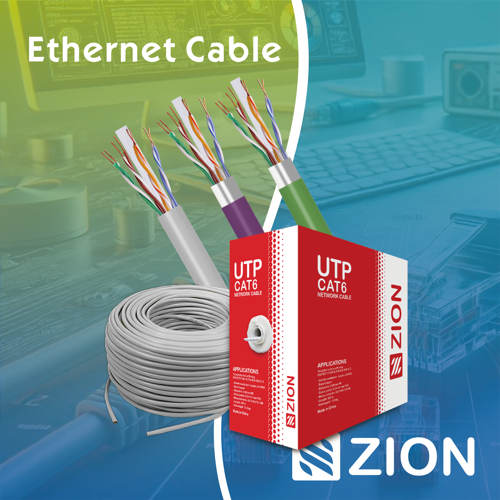 Ethernet CableCat5e to Cat8
 Coaxial CableRF and video signal
 Fire, Security & AlarmSafety systems
 Voice, Audio & VideoSignal cabling
 Power & Control CableEnergy and control
Fiber optic cable systems
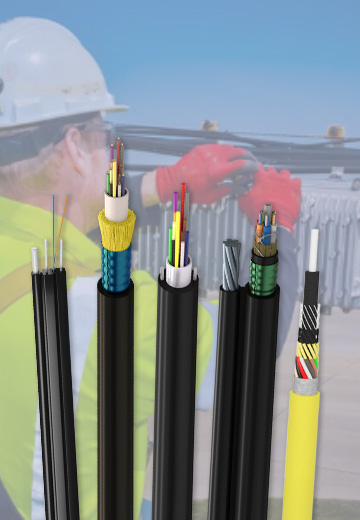
Outdoor, indoor, FTTH and distribution cable lines for access networks, backbone routes and campus deployments.
 Telecom & ISP NetworksFTTH, PON, ODN
 Data Center InfrastructureServer room cabling
 Building Low-Voltage SystemsBMS, AV, weak current
 Security & Fire ProtectionAlarm, CCTV, access
 Industrial Automation CablePLC, RS485, fieldbus
 Energy & Power InfrastructureSolar, battery, power
Telecom & ISP Networks
For FTTH / PON access, outdoor fiber deployment, aerial routes, duct routes, direct burial routes, rural broadband and ODN planning.
Tools
Use calculators and planning tools for conduit capacity, PoE voltage drop and fiber optic link loss budget work.