Define the audit boundary and representative tasks
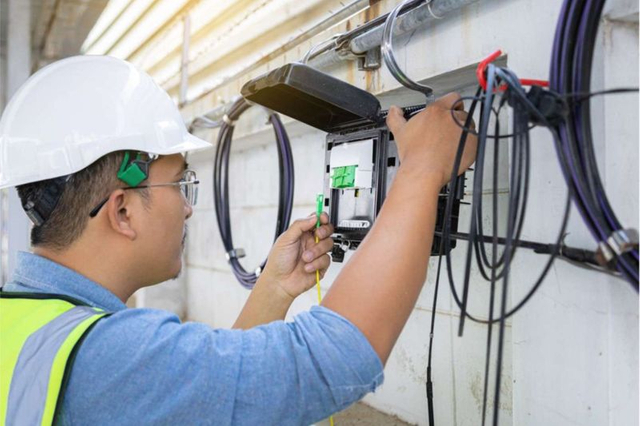
List the racks, panels and expansion stages covered by the review. Identify which work can be assessed visually and which needs a controlled demonstration. Include operations, installation and design staff so a result does not depend on one technician’s familiarity with the rack.
Select a small but meaningful sample: a central connection, a corner connection, a crowded route and a future module location. Include different connector or boot types if the expansion uses them. Record why each sample represents a more demanding condition, rather than choosing only the easiest port to reach.
| Task | Observation to record | Evidence |
|---|---|---|
| Identify | Correct circuit and both endpoints can be established | Port record and readable identifiers |
| Access | Connector latch and inspection tool can be reached | Demonstration on an approved sample |
| Replace | One cord can be removed and routed again | Observed path and affected neighbors |
| Move | Drawer or module can reach its intended service position | Motion check under representative loading |
| Restore | Covers and doors return to operating position | Final route and closure check |
Use pass, corrective action required and not verified as separate outcomes. A task that was not demonstrated because the rack is live is not a failure, but it is also not evidence of serviceability. Assign a date and method for resolving that uncertainty before the expansion is released.
Test connector access under the proposed population
A useful access check starts at the connection that will be hardest to reach after expansion. Use the proposed cord diameter, boot shape and release mechanism on a representative sample. Confirm that the technician can see the port, operate the latch and position the appropriate inspection or cleaning tool without pulling unrelated cords aside.
Do not reduce this review to a single distance measured in front of the rack. Access depends on the neighboring connections, the direction of approach, the tool body and the path used to remove the connector. Record the actual obstruction: a cable bundle across the latch, a door frame beside the tool, or an adjacent module that prevents access.
For example, a panel can remain acceptable with its original short boots but become difficult to service when the replacement cords have longer bodies. Keep the intended replacement cord specification in the audit record so procurement does not change the tested arrangement accidentally.
This audit complements the high-density ODF planning guide. Planning establishes a proposed layout; the audit turns maintenance requirements into recorded tasks and exceptions for the actual installation.
Follow the complete patch cord route
Trace a sample cord from its panel position through the horizontal and vertical managers to its destination. Record where it crosses other routes, where excess length is stored and where it would have to be released during replacement. An orderly front view can hide a congested side channel or inaccessible slack loop.
The FOA patch-panel routing guidance discusses how routing across other connections can obstruct access. Use that principle to ask a practical audit question: can this one cord be replaced without disturbing an unrelated connection? Apply the bend and handling limits supplied for the actual cable assembly.
- Confirm that cord length is based on the managed path, including the required service movement, rather than the straight-line distance between ports.
- Check that retainers support the cords without crushing jackets or preventing an individual cord from being released.
- Identify surplus loops that consume the path reserved for new connections. Record the replacement length or storage change needed.
- Keep any project-required route diversity visible through the rack area; do not merge separately planned paths for convenience.
Inspect the rear incoming cable arrangement as a separate item. The team may be able to reach every front connector while being unable to add a trunk, access its clamp or remove a module. Identify the installation sequence and the physical access needed before ordering the next stage.
Check drawer travel, covers and neighboring equipment
Moving panels need a motion check under representative conditions. With the approved demonstration arrangement, observe cords and incoming cables as the drawer slides or the module pivots. Look for tension, sharp changes of direction, catching points and movement transferred into nearby assemblies.
Stop if the motion begins to load a connector or trap a cord. Identify the routing or hardware change required, then repeat the approved demonstration. The audit record should show the configuration that passed; an earlier test with an empty drawer does not establish that the newly populated version is acceptable.
Return the panel to its normal position and check covers and doors separately. Verify that the closing movement does not push on boots or compress cord loops. Review adjacent service tasks too: power distribution access, neighboring equipment removal and any cooling maintenance space must remain available as required by the rack design.
Record mechanical and operational constraints distinctly. A panel that can open physically may still require an access window because its route crosses working equipment. That scheduling dependency belongs in the expansion plan, even if the panel itself needs no modification.
Audit identification and maintenance records
Ask a technician who did not install the rack to identify the sampled circuit using the approved records. Compare both ends with the patching schedule. Labels should remain readable in the operating position and should not require tugging a live cable to expose them. Color can support identification, but it should not be the only evidence.
Check how a change is recorded. The record should distinguish the panel port, cable or cord ID, remote endpoint, circuit assignment and current status. For multi-fiber assemblies, retain the relevant fiber mapping. Resolve inconsistent records before treating a port as unused; an apparently spare position may be reserved or associated with an undocumented service.
| Finding | Record needed | Action before expansion |
|---|---|---|
| Obscured label | Port and cord ID, photo reference | Reposition or replace the identifier using the approved method. |
| Uncertain endpoint | Local and remote records | Trace through the approved process and reconcile the schedule. |
| Undocumented spare | Reservation owner and intended use | Confirm availability rather than reallocating it by appearance. |
| Different installed cord | Part number and observed construction | Check whether the replacement changes the tested service access. |
| Unverified work sequence | Affected services and access restrictions | Agree the maintenance window and restoration steps. |
Keep the audit separate from optical certification. A readable label and accessible connector do not prove optical performance. Conversely, a passing optical test does not show that a cord can be replaced without disturbing its neighbors. Both evidence sets may be needed for project acceptance.
Turn the audit into a corrective BOM and release decision
Convert findings into specific purchasing or installation actions. Instead of requesting better cable management, identify the manager location, intended cord path, required accessory and the task it must enable. Potential actions include different cord lengths, an additional guide, revised labeling, a different module arrangement or a change to the expansion sequence.
For every action, record an owner, affected rack or panel, required part confirmation and recheck method. Use the same representative task after correction so the result is comparable. Do not average several easy passes into a score that hides one critical connection that remains inaccessible.
- Ready: required tasks have been demonstrated in the approved arrangement and records are reconciled.
- Ready after correction: specified changes must be completed and rechecked before new connections are released.
- Not yet verified: a representative test, interface confirmation or access window is still outstanding.
Send suppliers the rack layout, panel and module identities, planned cord population, access photos and the corrective list. Ask for the dimensions and compatibility of proposed accessories. Procurement can then compare a defined maintenance outcome instead of selecting hardware solely by port density.
Frequently asked questions
How is a serviceability audit different from an MPO shipment checklist?
A serviceability audit evaluates installed access, routing, identification and maintenance tasks under the intended population. A shipment checklist reviews the supplied assemblies and their documents before dispatch.
Does an empty port prove expansion capacity?
No. Check the complete route, cable management, incoming trunk access, records and ability to maintain the populated panel. A free adapter position may still lack a usable installation path.
Should technicians disconnect live fibers during the audit?
Begin with non-intrusive checks. Use an uncommissioned representative sample or an approved maintenance window for tasks requiring disconnection or movement, following the operator’s work procedure.
Prepare a patch panel serviceability review
Share the rack layout, panel models, proposed cord types, expansion quantity and photographs of access constraints to discuss panels, adapters and cable-management accessories.



 Fiber Optic Cable
 Fiber Optic Tools
 Ethernet Cable
 Coaxial Cable
 Fire & Security Cable
 Voice, Audio & Video
 Power & Control Cable